Create a Local AE
Introduction
After the AdvaPACS Gateway has been installed and connected to your tenant, you need to create a Local AE so that modalities on your local network can send DICOM studies to the Gateway.
A Local AE (Application Entity) acts as a DICOM server on the Gateway. It listens for DICOM connections using an AE Title and port, then allows the Gateway to receive studies from configured modalities and upload them to AdvaPACS. For a detailed explanation of Local AEs and all available configuration options, refer to the Local AEs documentation.
Steps
-
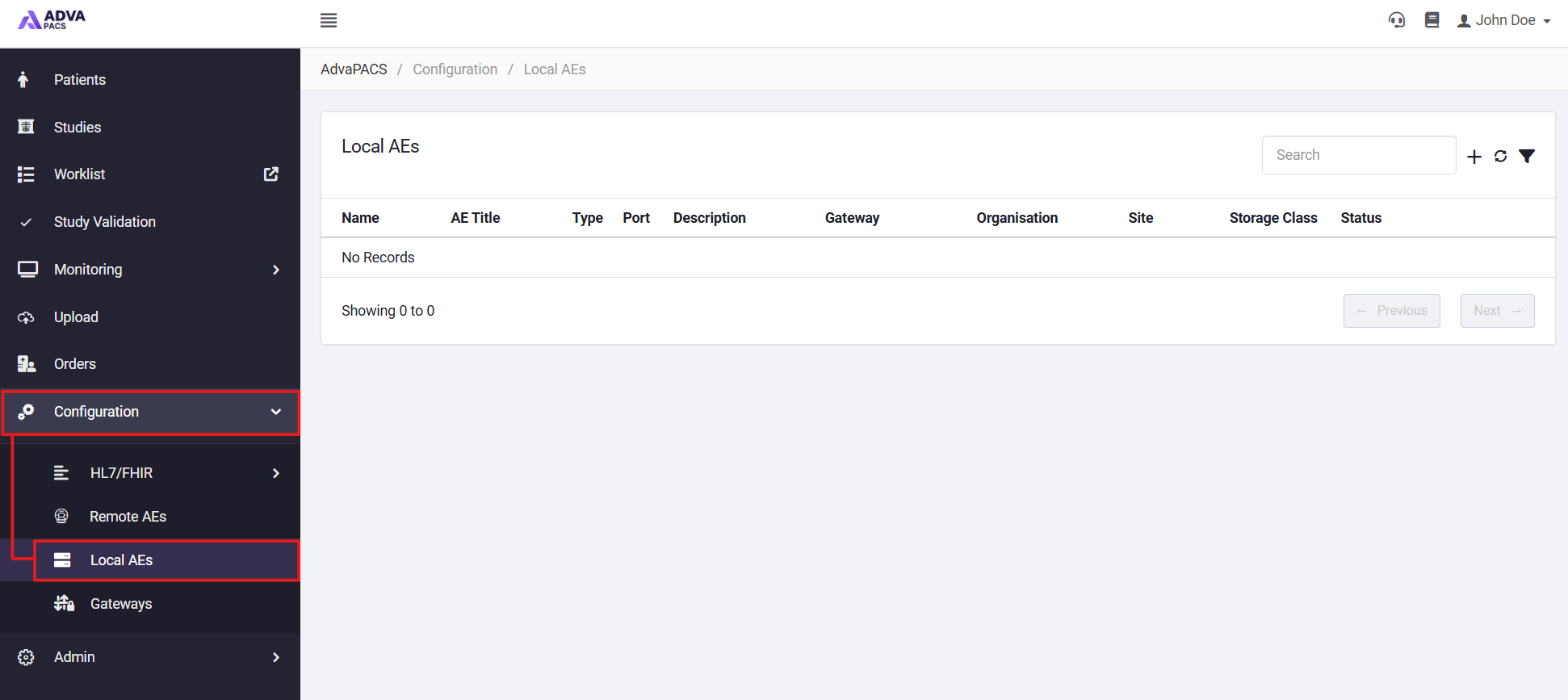
From the AdvaPACS Dashboard, open Configuration → Local AEs.
-
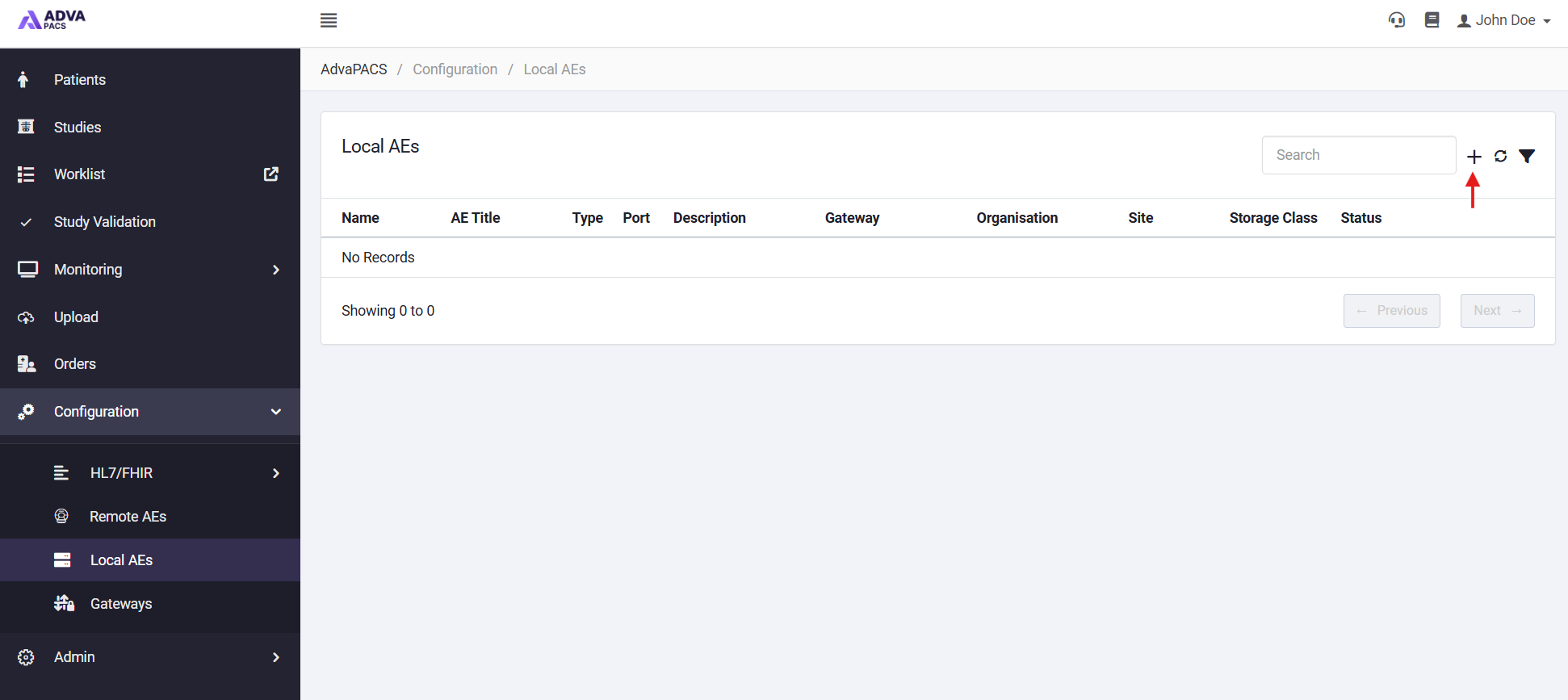
Click the + icon in the top right to create a new Local AE.
-
Fill in the required information:
- Gateway - Select the Gateway where you want to create a Local AE.
- AE Title - Create a name for the Local AE.
- Description - Add a description for the Local AE.
- Port - Add an unused port which the Gateway will listen on.
-
Click create to finish add the new Local AE.
Once the Local AE has been created, it will appear in the Local AEs list. The Gateway automatically updates its configuration and starts listening for incoming DICOM connections using the configured AE Title and port.
Depending on some optional features you may have enabled like Organisations or Assigning Authorities, there may also be other required fields for you to complete.