Reporting Priorities
Reporting Priorities allow you to define how studies are prioritised for reporting in the AdvaPACS Reporting Worklist. A Reporting Priority can be assigned to a study to control its reporting urgency and determine which Service Level Agreement (SLA) applies. This allows organisations to manage reporting turnaround requirements independently of the priority originally assigned to the order.
Reporting Priority is separate from Order Priority. Order Priority represents the priority of the originating order, typically supplied by a RIS, HIS, EMR, or other external system. Reporting Priority is used specifically within the AdvaPACS reporting workflow and can be configured independently.
How Reporting Priorities Are Used
Reporting Priorities can be used to:
- Categorise studies according to their reporting urgency.
- Apply different reporting SLAs to different groups of studies.
- Prioritise studies within the Reporting Worklist.
- Provide consistent reporting priorities when orders originate from systems that use different priority values.
- Allow the reporting workflow to use a priority that differs from the original Order Priority.
For example, an incoming order may have an Order Priority of URGENT, while the study may be assigned a Reporting Priority of STAT for the purposes of reporting.
Creating a Reporting Priority
To create a Reporting Priority:
- Open the AdvaPACS Worklist.
- Navigate to Admin > Reporting Priorities.
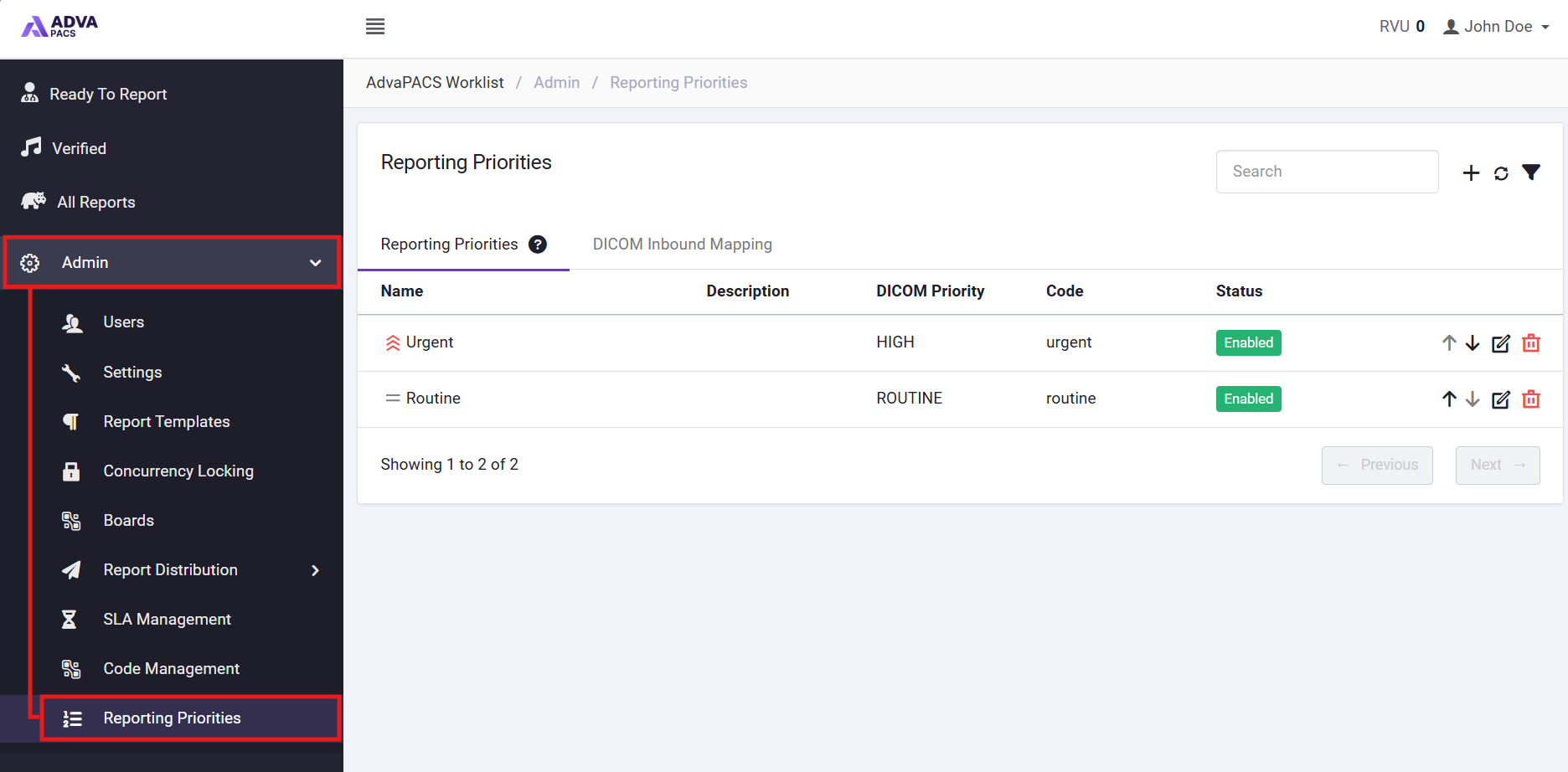
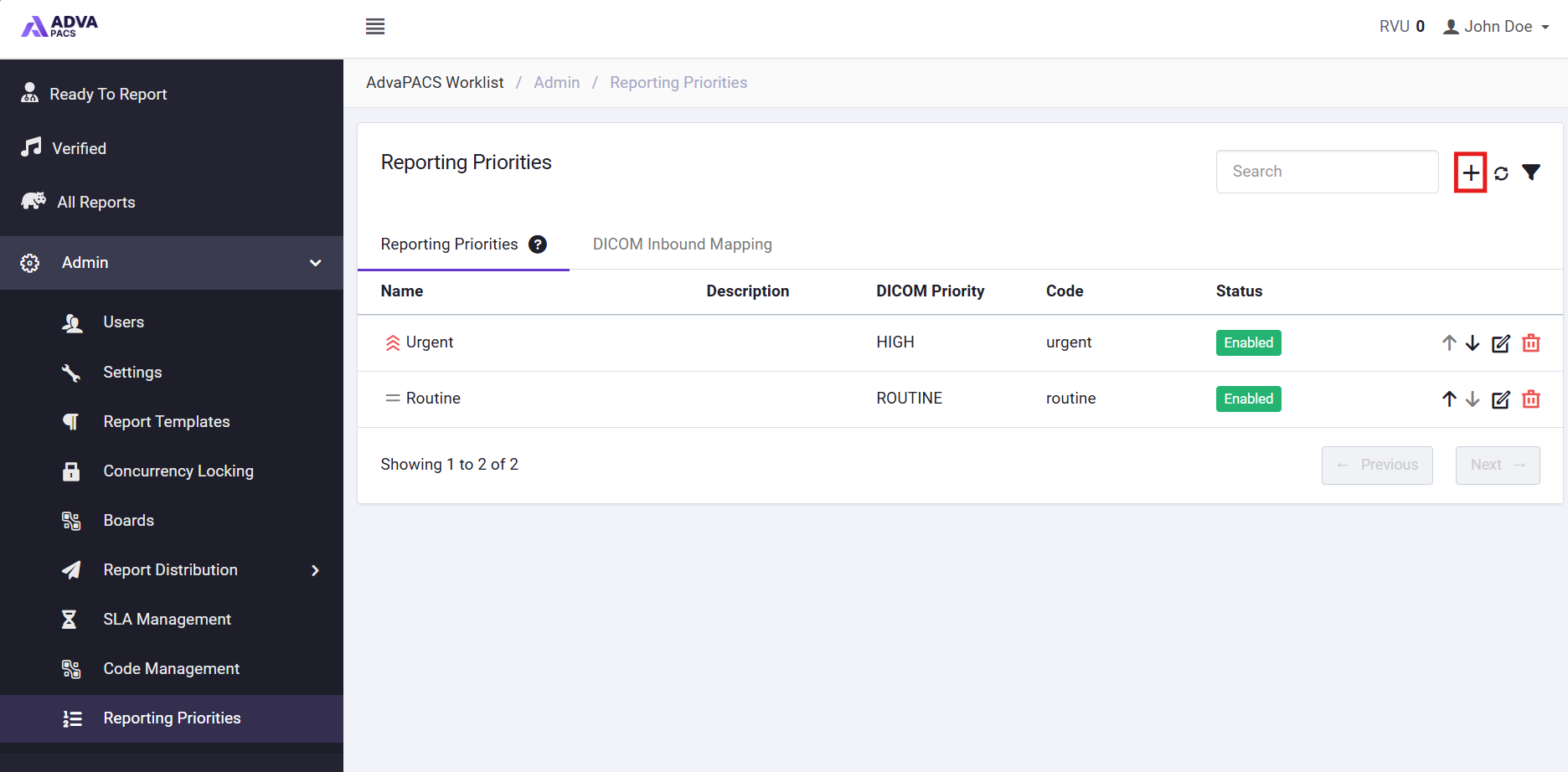
- Click the + icon to add a new Reporting Priority.
- Configure the priority settings as required.
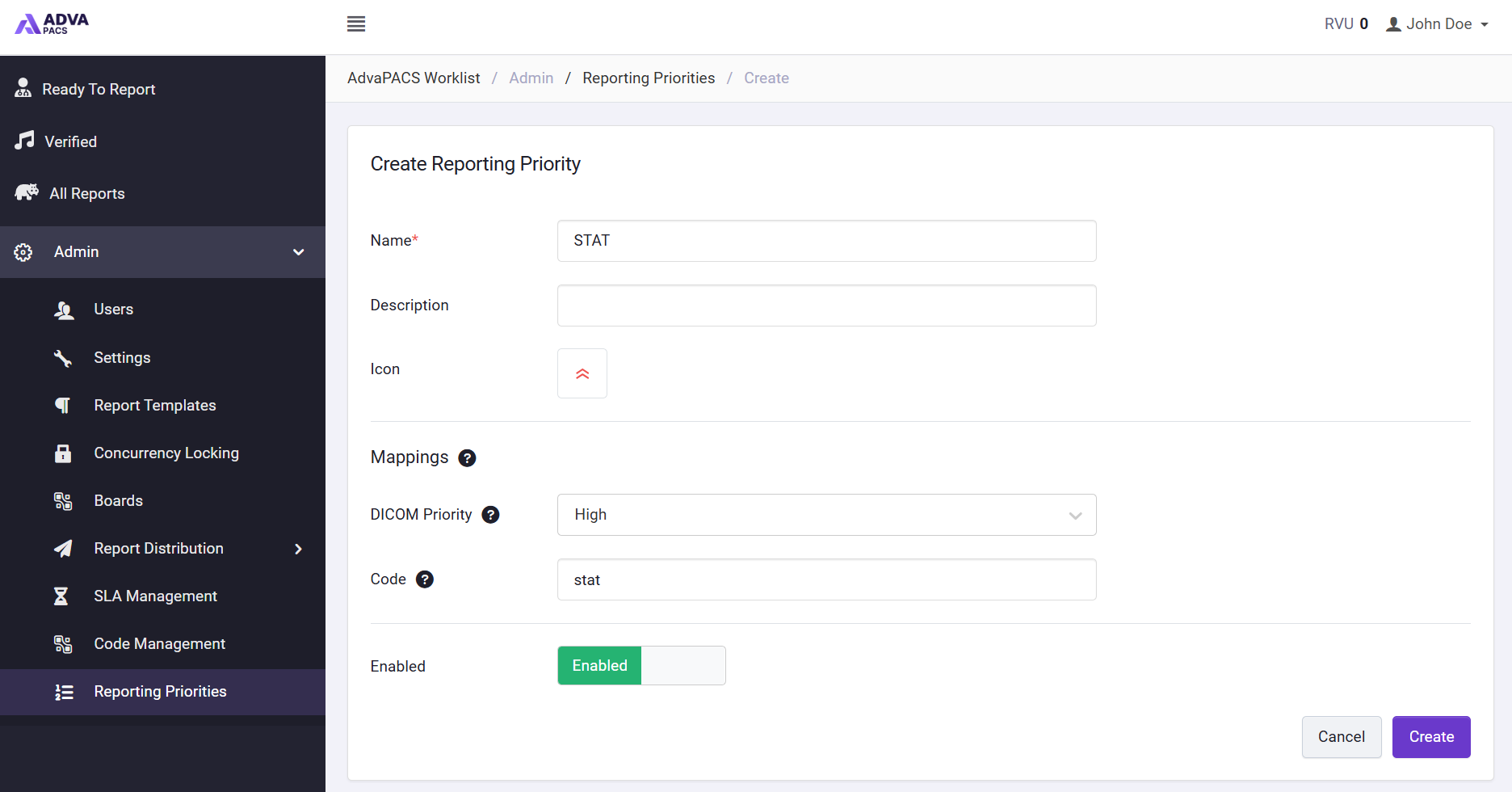
- Click Save.
Once created, the Reporting Priority can be used within the Reporting Worklist and associated SLA configuration.
Assigning a Reporting Priority
Reporting Priority can be assigned to a study as part of the reporting workflow or provided by an external system through an integration.
For FHIR integrations, Reporting Priority can be specified using the AdvaPACS Reporting Priority extension. For HL7 integrations, it can be provided using the HL7 Reporting Priority Extension.