Report Templates
Report Templates allow administrators to create and manage predefined reporting templates within the AdvaPACS Reporting Worklist. Templates provide radiologists with a consistent starting point when creating reports, helping to standardise report content, reduce repetitive data entry, and improve reporting efficiency.
Each template can be configured with filters to control when it is available, allowing different templates to be used based on patient demographics, imaging modality, or the reporting radiologist.
Creating a Report Template
To create a new Report Template:
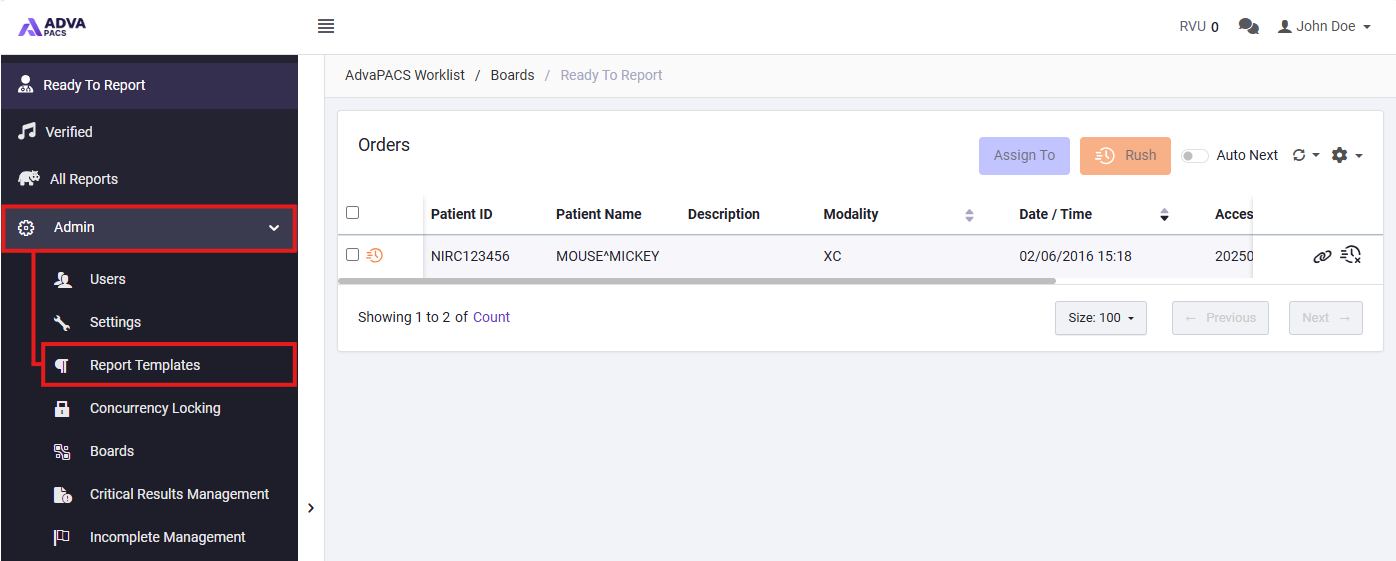
- From the AdvaPACS Reporting Worklist, navigate to Admin > Report Templates.
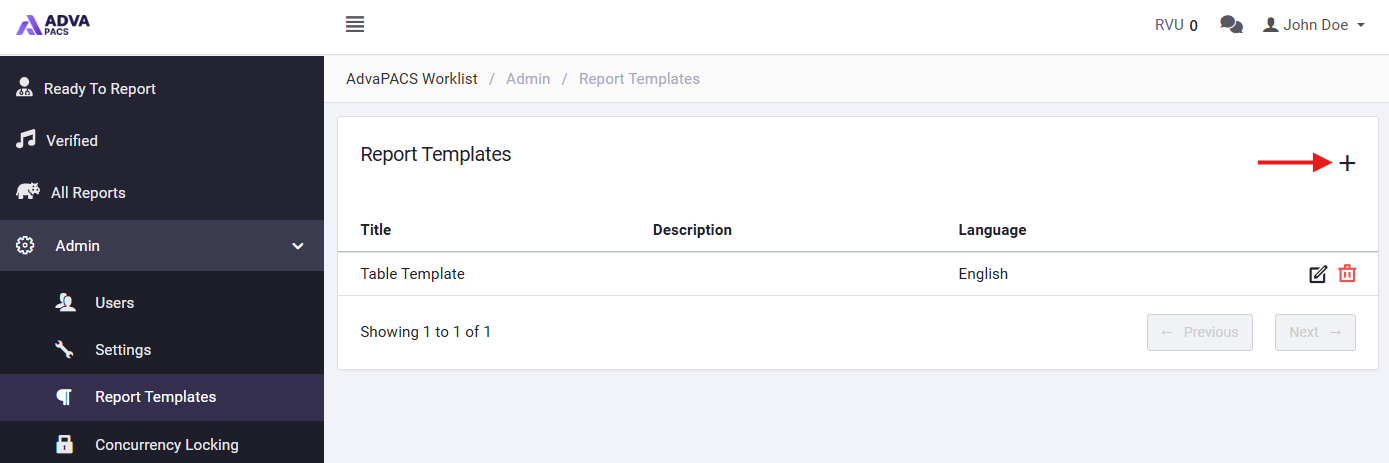
- Click the Add button to create a new template.
- Enter the following information:
Field Description Title Enter a name to identify the Report Template. Language Select the language associated with the template. Description Enter an optional description outlining the purpose or intended use of the template. - Configure any applicable filters to determine when the template should be available.
- Save the template.
Template Filters
Filters allow administrators to restrict the availability of a Report Template based on specific criteria. This helps ensure that radiologists are presented with templates relevant to the study being reported. The following filters can be configured:
| Filter | Description |
|---|---|
| Min Age | Specifies the minimum patient age for which the template is applicable. |
| Max Age | Specifies the maximum patient age for which the template is applicable. |
| Modalities | Restricts the template to one or more imaging modalities, such as CT, MR, or US. |
| Sexes | Restricts the template based on the patient's recorded sex. |
| Radiologist | Restricts the template to specific radiologists. |
Filters are optional and can be used individually or in combination to control template availability.
For example, a template intended for paediatric ultrasound examinations could be configured with a maximum patient age and the US modality, ensuring that it is only available for relevant studies.
Managing Report Templates
Existing Report Templates can be viewed and managed from Admin > Report Templates.
Administrators can perform the following actions:
- Edit a Template – Update an existing template's information, configuration, or filters.
- Delete a Template – Remove a template that is no longer required.
Keeping Report Templates up to date helps ensure that radiologists have access to appropriate and consistent reporting content throughout the reporting workflow.