API Keys
API keys allow external systems and integrations to securely access supported AdvaPACS APIs and services. Depending on the permissions assigned to the key, it can be used with integrations such as:
- DICOMweb
- FHIR
- FHIRcast
- HL7 over HTTPS
- Viewer Integration
Each API key can be configured with only the permissions required by the system or integration that will use it.
Access the API Keys Page
API keys are managed from the API Keys page in AdvaPACS. To access the page:
- Open Admin → Settings.
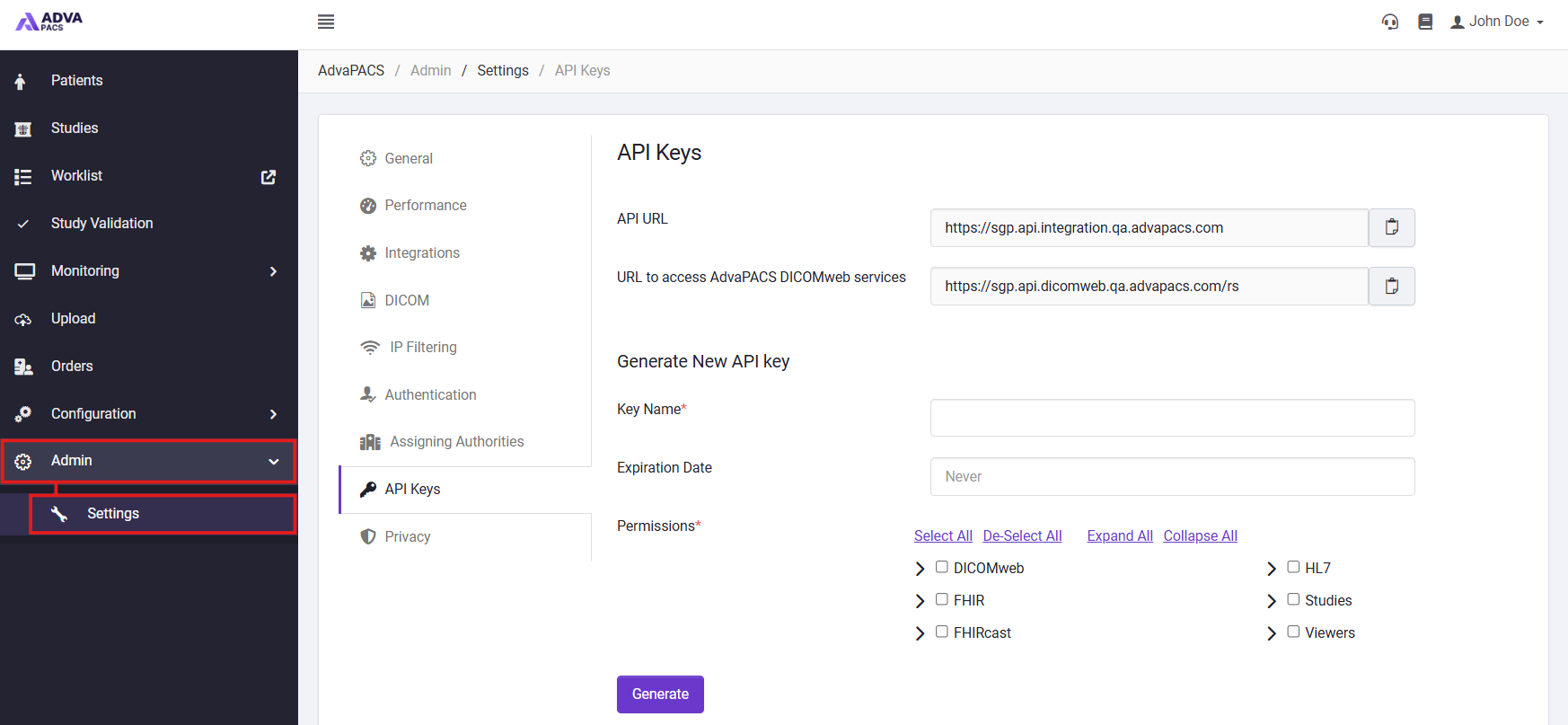
- Select API Keys.
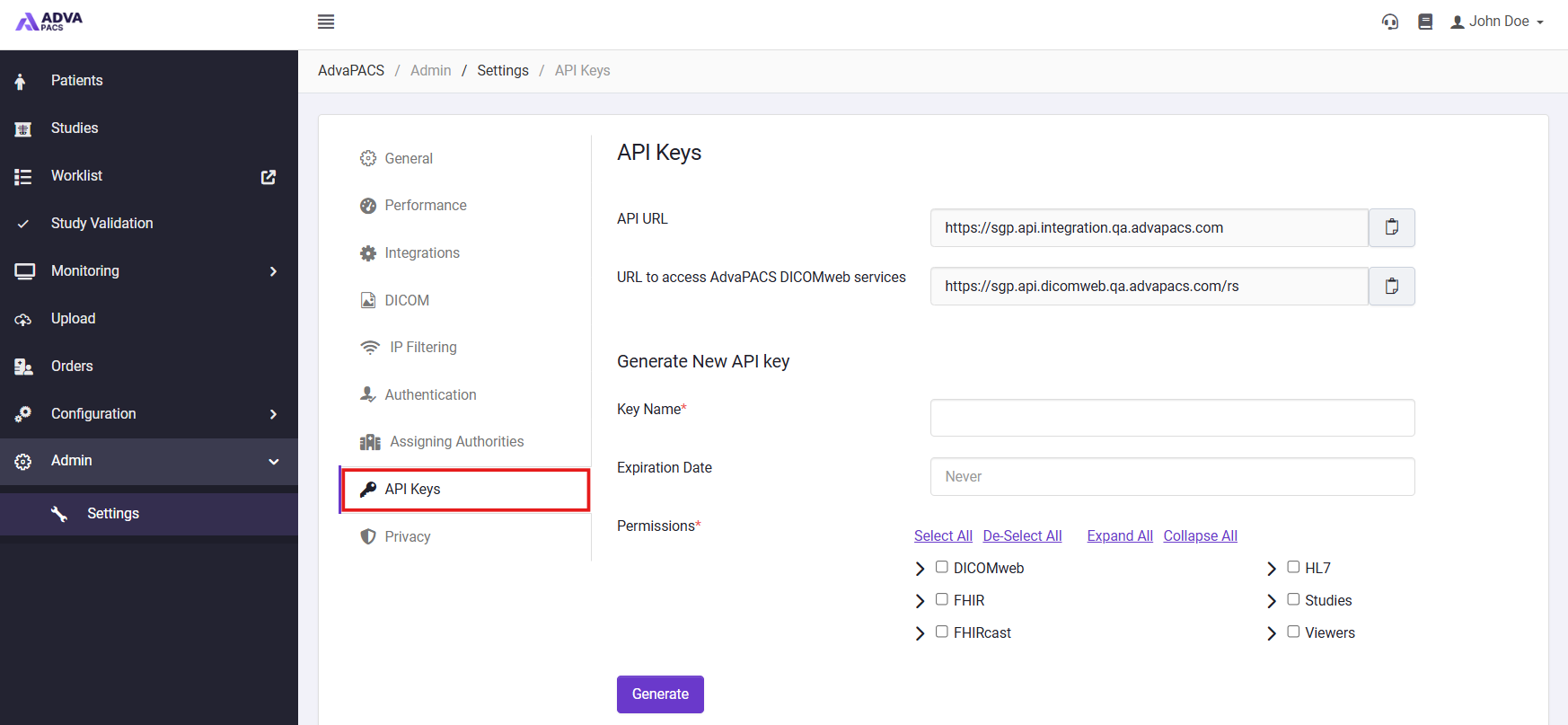
From here, you can create and manage the API keys used to authenticate with the AdvaPACS API.
Create an API Key
Before accessing the APIs, you must create an API key with the appropriate permissions.
To create an API key:
- From the API Keys page, enter a descriptive Key Name.
- Optionally, specify an Expiration Date.
- Under Permissions, select the permissions required by your integration. For example, for FHIR integrations:
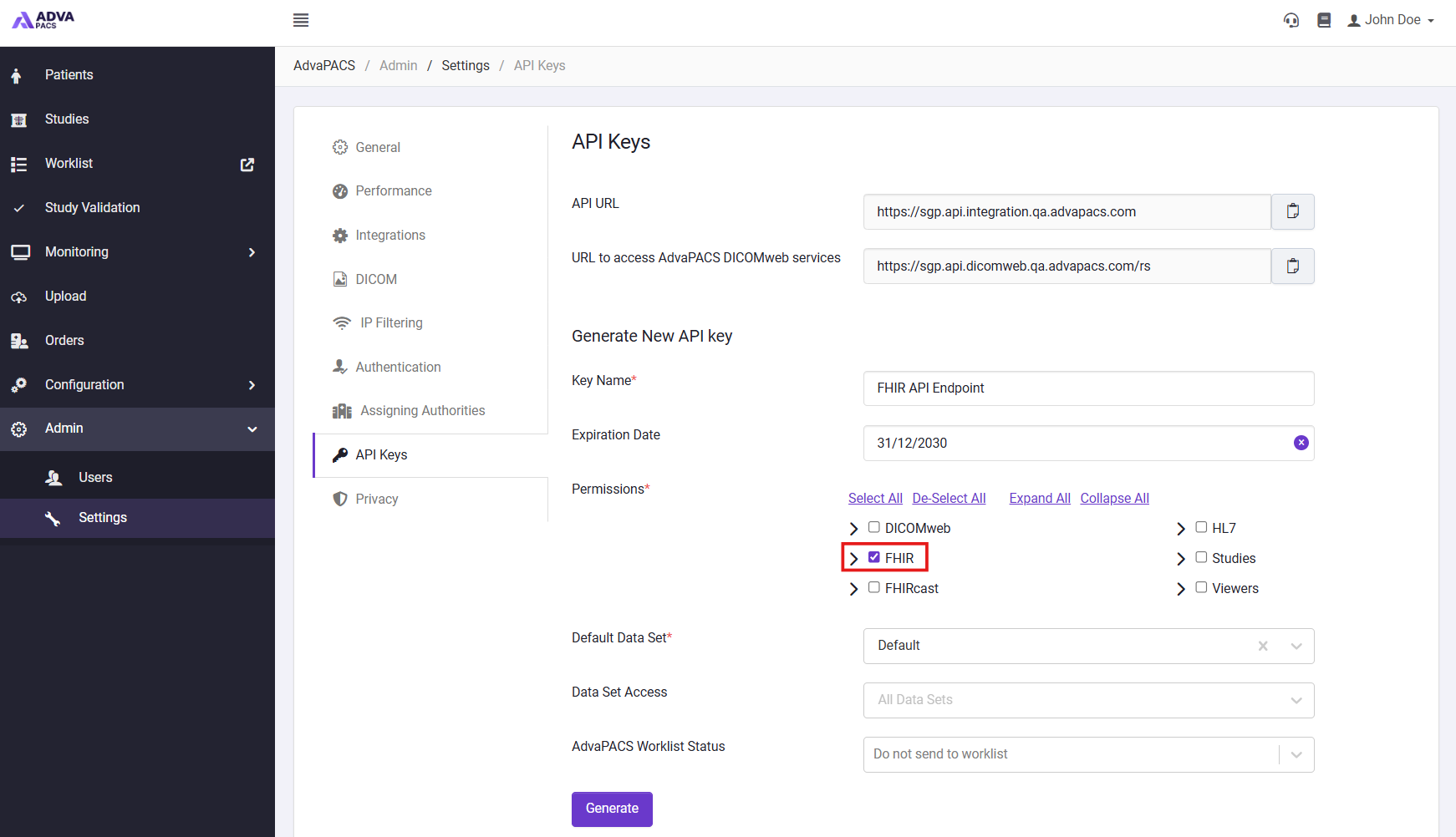
- Click Generate.
- Copy the generated API URL, Access Key ID and Access Key Secret and store them securely.
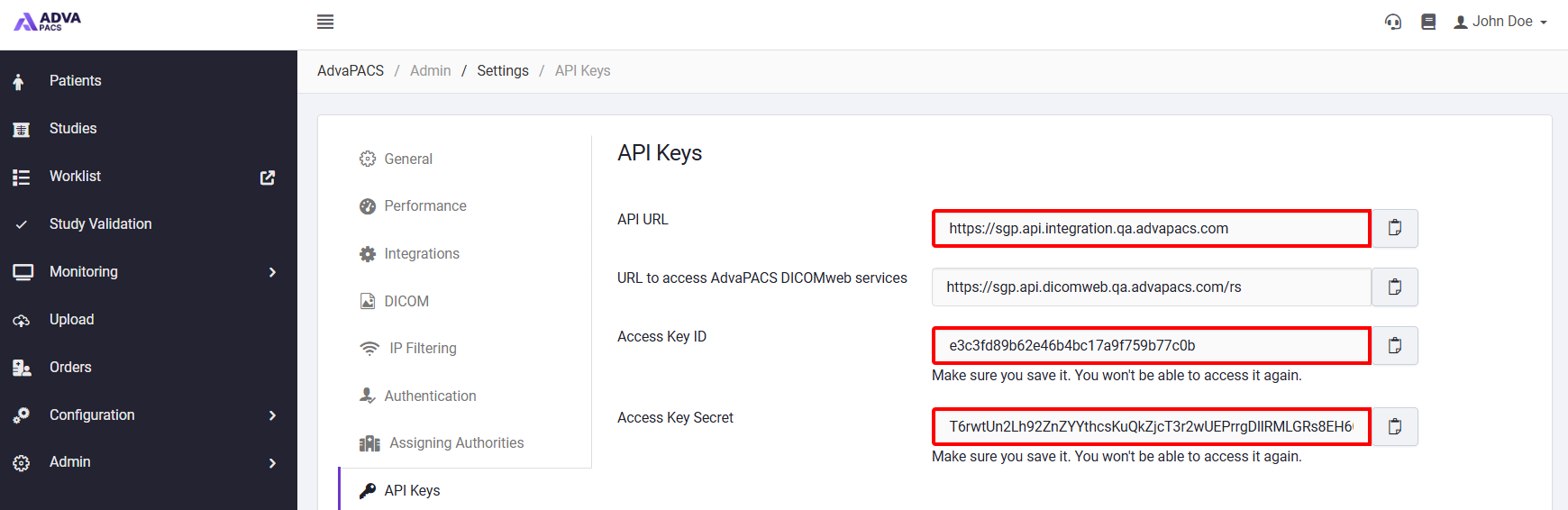
The Access Key ID and Access Key Secret are only displayed when the key is generated. Make sure you copy and securely store them before leaving or refreshing the page.
Managing API Keys
Existing API keys can be managed in the Active API Keys section on the API Keys page.

This allows you to review and update keys as integration requirements change, or remove keys that are no longer required.
Editing an API Key
To update an existing API key:
- Locate the API key you want to update.
- Select Edit.

- Update the required settings, such as the Key Name, Expiration Date, or assigned Permissions.
- Save your changes.
Changes to permissions take effect for systems using the existing API key credentials.
Removing permissions from an API key may prevent integrations using that key from accessing the corresponding AdvaPACS APIs or services.
Deleting an API Key
API keys that are no longer required should be removed to prevent them from being used to access AdvaPACS.
To delete an API key:
- Locate the API key you want to remove.
- Select Delete.

- Confirm the deletion.
Deleting an API key immediately prevents systems using its credentials from authenticating. Ensure the key is no longer being used by an active integration before deleting it.