DICOMweb
Overview
The DICOMweb feature allows users to generate secure access tokens that enable third-party applications to connect with AdvaPACS’s DICOMweb services.
These tokens define specific access scopes for querying, storing, and retrieving DICOM data.
This guide explains how to generate and manage DICOMweb tokens in AdvaPACS.
Generate a DICOMweb Token
Follow the steps below to create a new DICOMweb token:
-
Navigate to User Settings → DICOMweb.
-
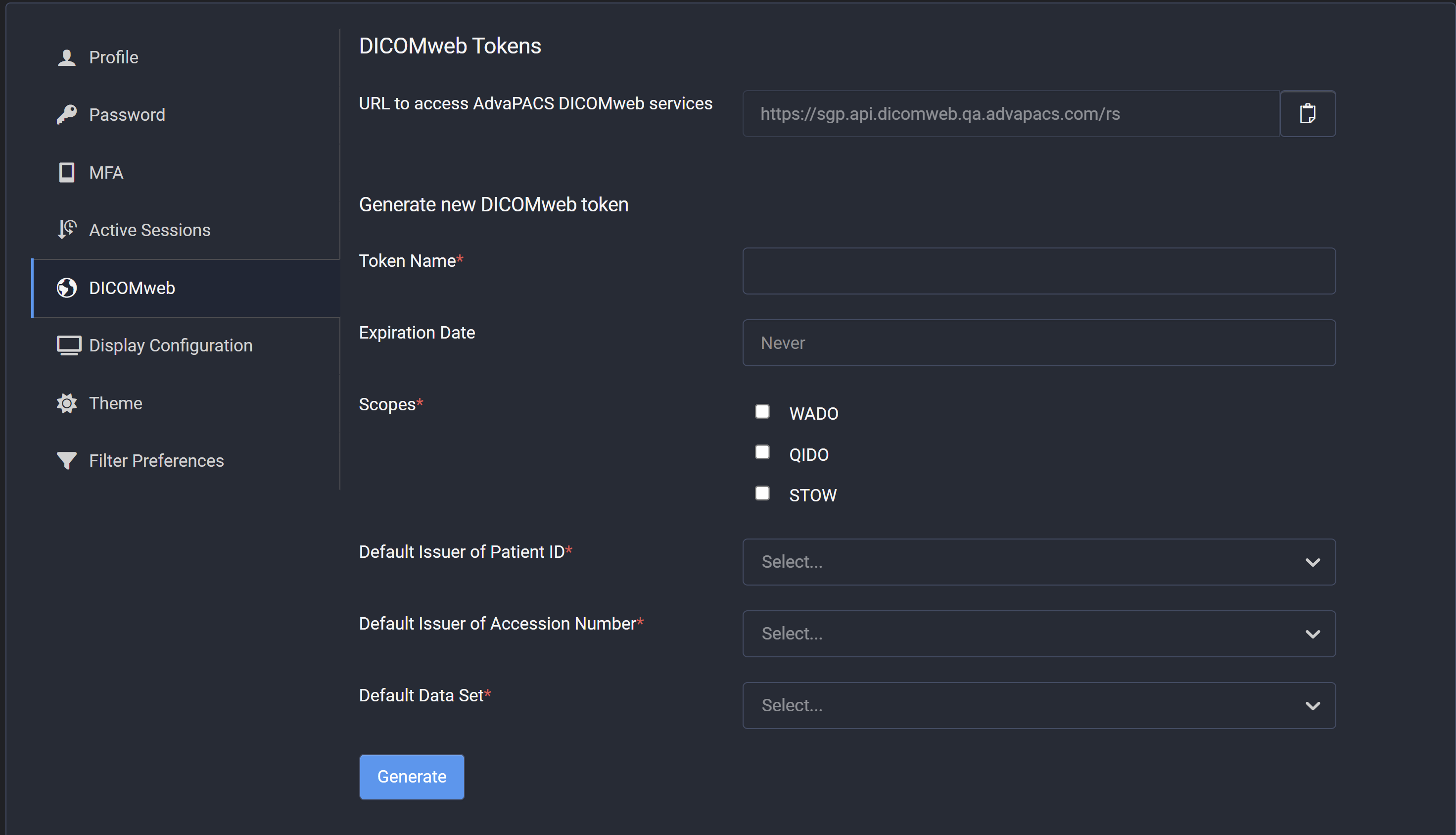
To generate a new token, provide the following details:
- Token Name – Enter a unique name for identification.
- Expiration Date (optional) – Specify an expiry date for automatic token invalidation.
- Scopes – Select one or more access scopes. AdvaPACS supports three DICOMweb methods:
- WADO – Retrieve DICOM objects.
- QIDO – Query DICOM data.
- STOW – Store DICOM instances.
- Default Issuer of Patient ID – Select a default issuer.
This option is visible only when Allow Unauthenticated Access and MIMA are enabled. - Default Issuer of Accession Number – Select a default issuer.
This option is visible only when Allow Unauthenticated Access and MIMA are enabled. - Default Dataset – Choose the dataset to associate with the token.
-
After completing all required fields, click Generate.
The system will create and display the new token.noteThe token is displayed only once after creation.
If you refresh or leave the page, you will not be able to view it again.
Make sure to copy and store the token securely for future use.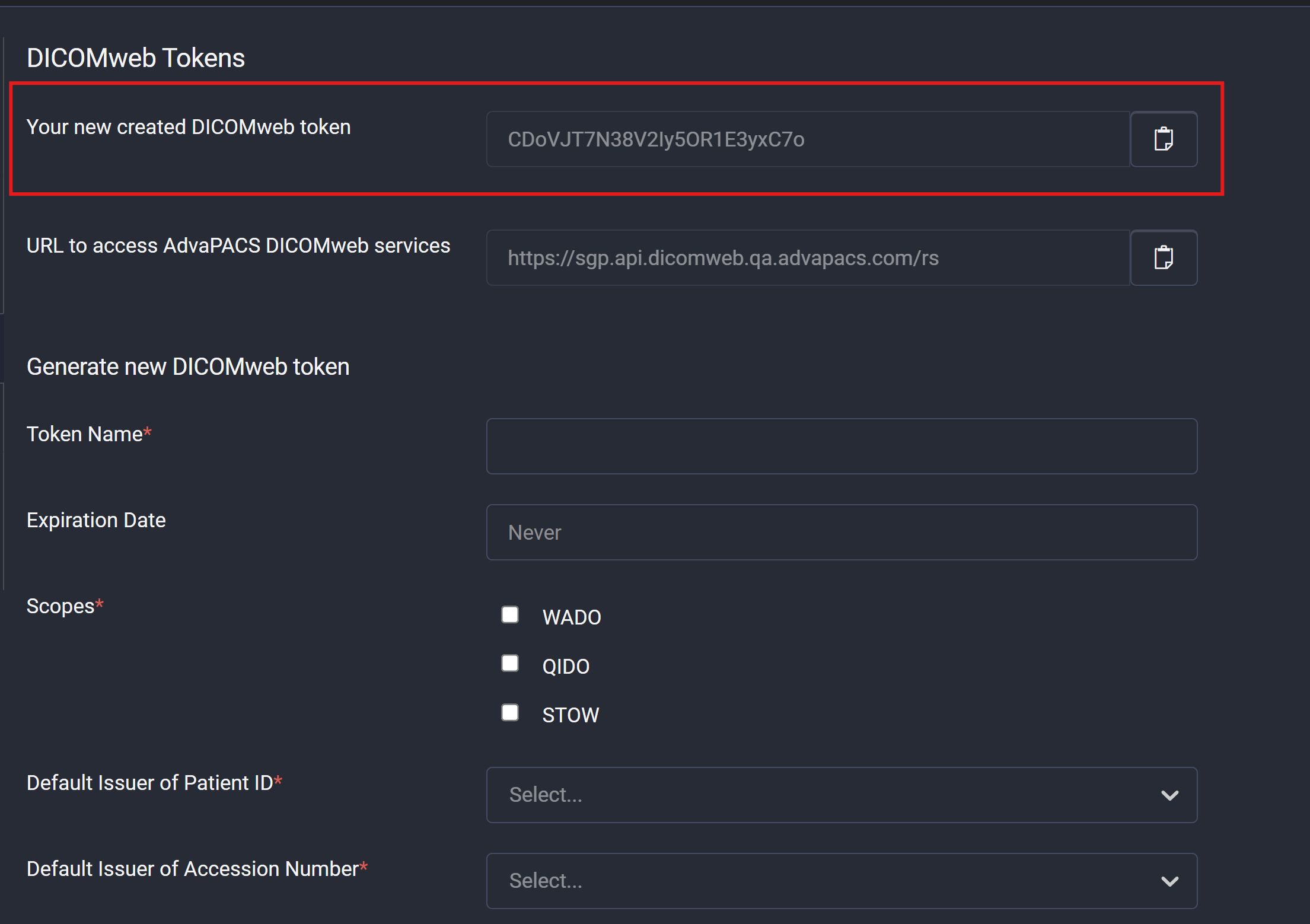
-
Once a token is created, it appears in the Active DICOMweb Tokens table, showing all existing tokens and their details.

Delete a Token
If a token is no longer needed or must be revoked, you can delete it directly from the Active DICOMweb Tokens list.
- Click the Delete (🗑️) icon next to the token you wish to remove.
- Confirm the deletion when prompted.
Once confirmed, the system permanently removes the token, and it can no longer be used for DICOMweb access.
Deleting a token immediately revokes its access permissions for all connected third-party applications.