Set Up Users & Roles
Before other people can access AdvaPACS, you must create the appropriate user roles and user accounts. User roles define what users are permitted to view and manage. Once the required roles have been created, you can add users and assign one or more roles based on their responsibilities.
Creating a Role
A user role is a collection of permissions that controls access to features and administrative functions within AdvaPACS. For example, you might create separate roles for radiologists, administrators, support staff, or users who only need to view patients and studies.
To create a user role:
-
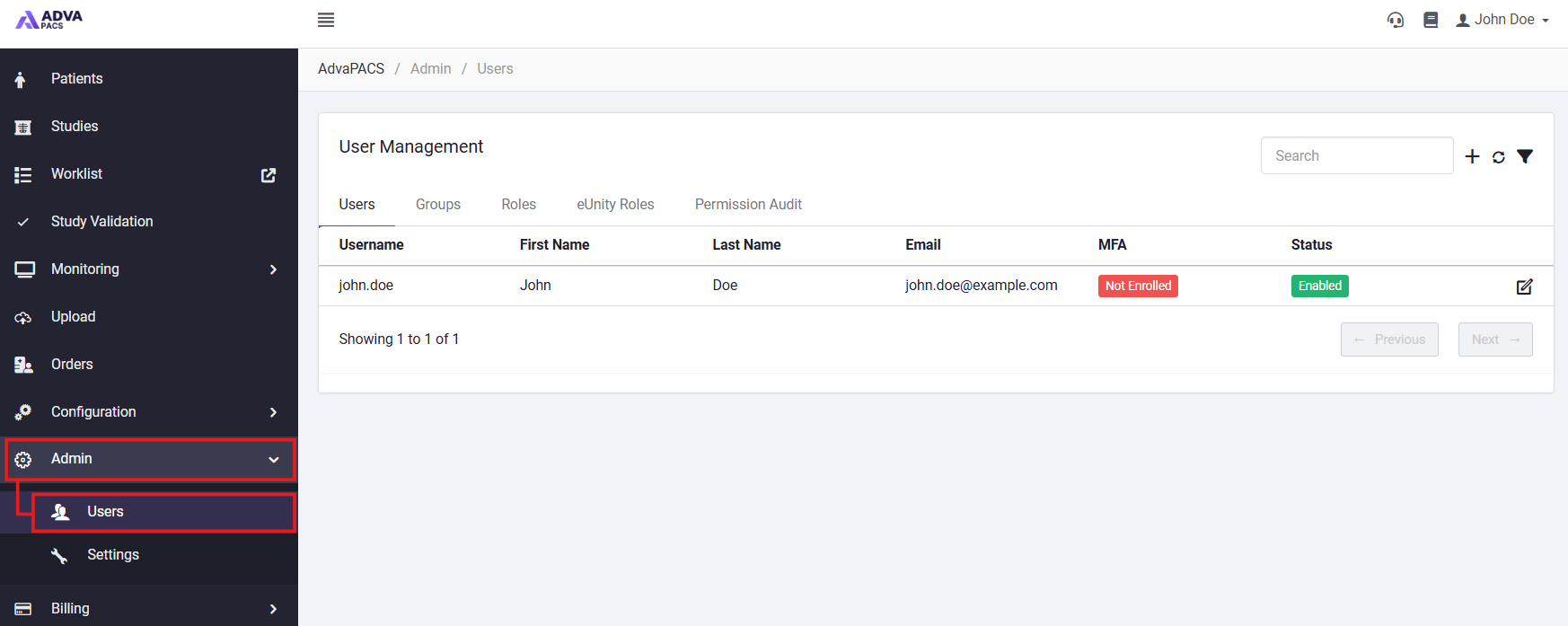
From the navigation menu, select Admin > Users.
-
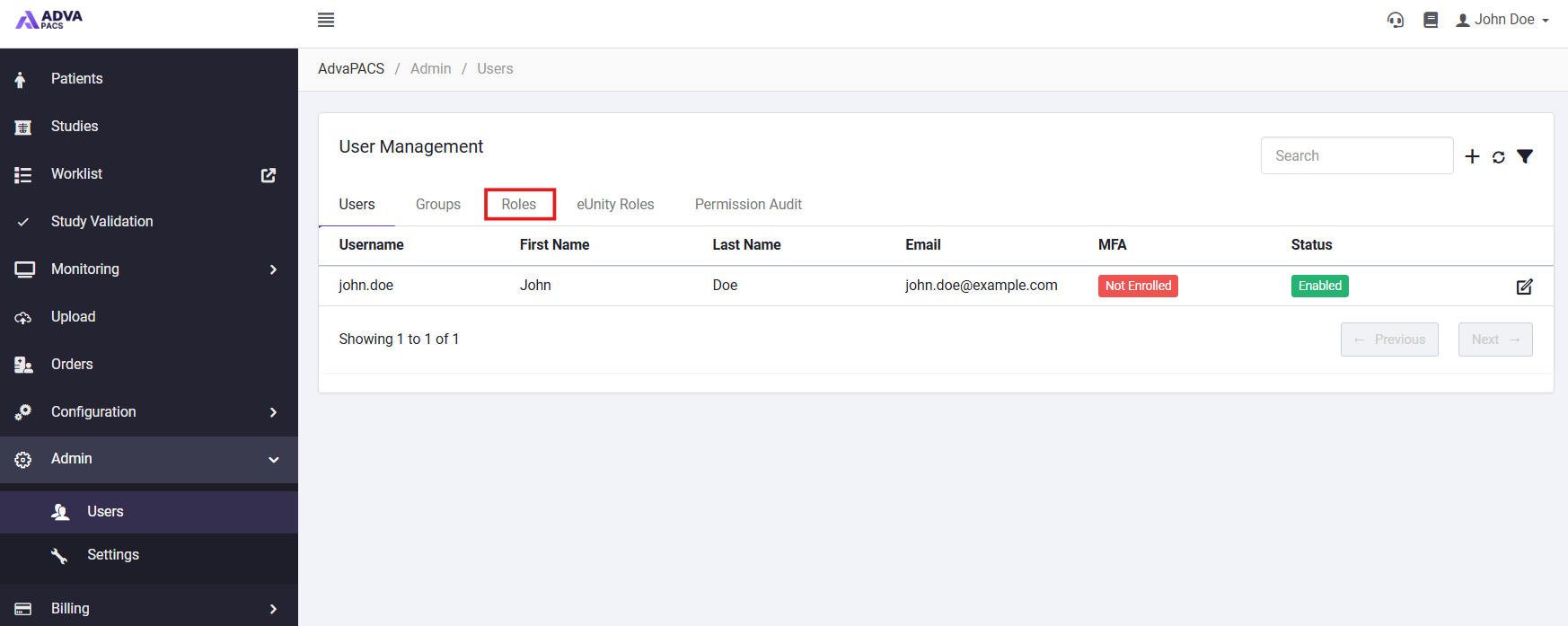
Select the Roles tab.
-
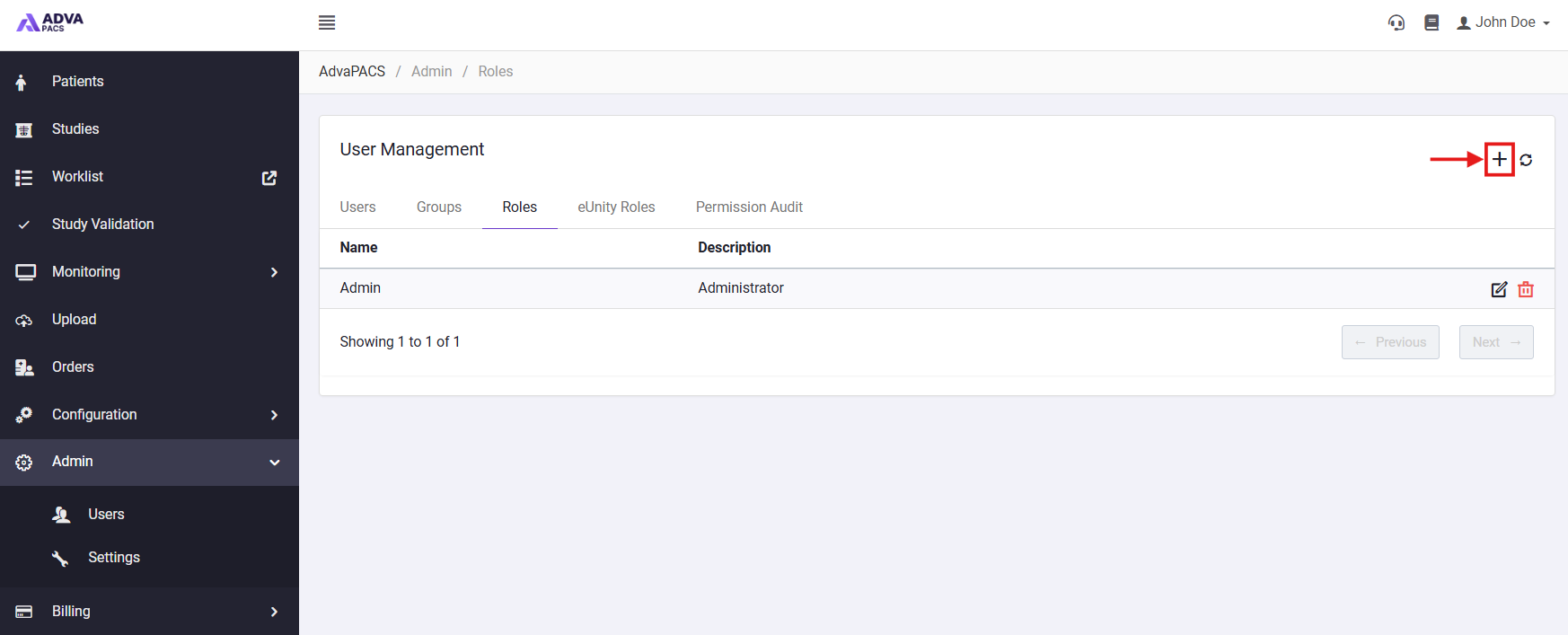
Select the + button to create a new role.
-
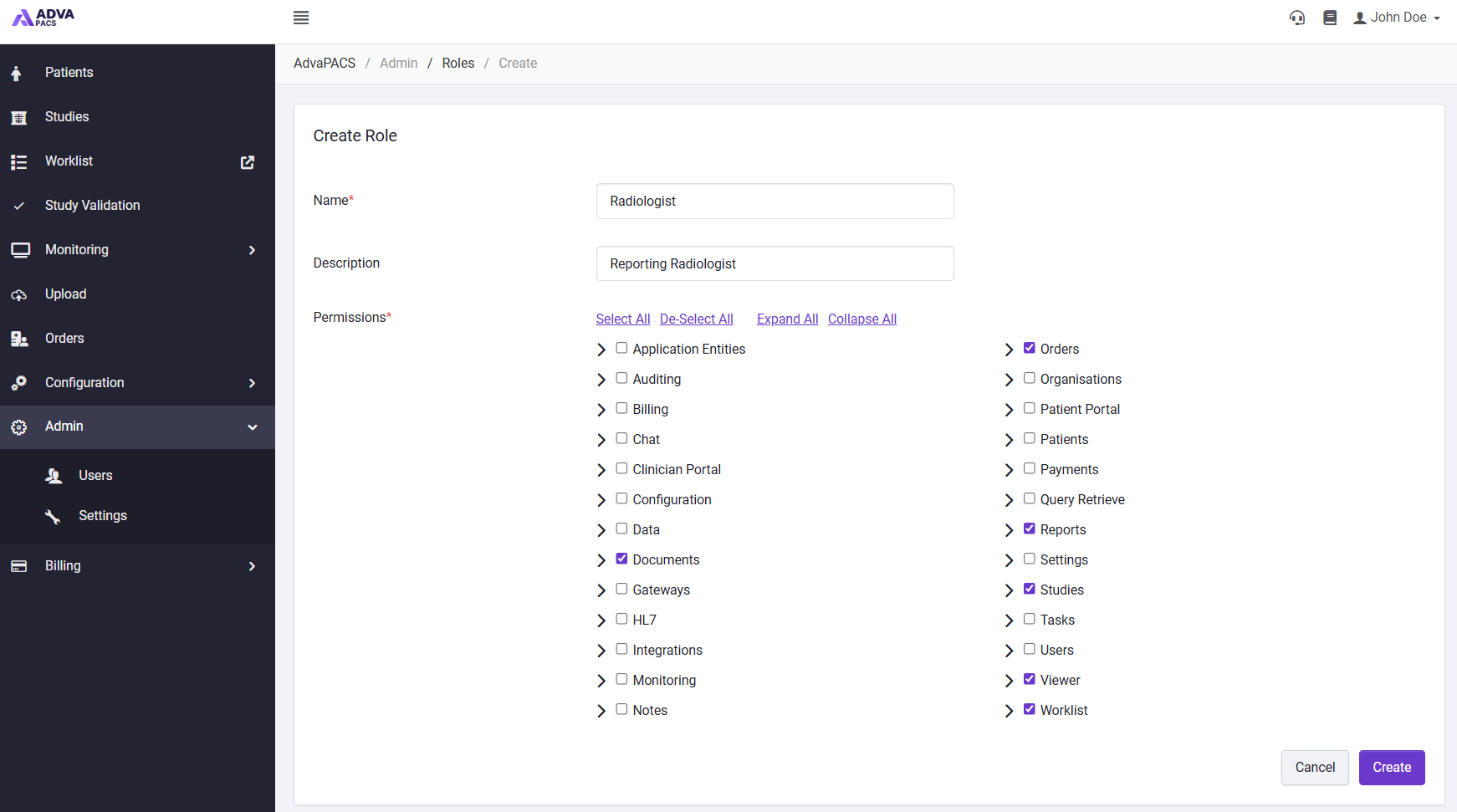
Enter a descriptive Name for the role, a Description explaining who the role is intended for and select the permissions that should be included in the role. Select Expand All to display the complete permissions list. You can also hover over the ? icon beside a permission to view its description.
-
Select Create to finish creating the role.
The new role will appear on the Roles page, where it can be viewed, edited, or deleted.
Creating a User
Users can be created and managed from the Users page in AdvaPACS. Each user has their own account and can be assigned one or more roles that determine what they can access within the system.
To create a user:
- Navigate to Admin → Users.
- Click + to create a new user.
- Enter the user's Username, Name, Email, Language, and Password.
- Enable Force password change on next login if the user should be required to set a new password when they first sign in.
- Select the appropriate Role for the user.
- If required, enable Enforce 2FA to require the user to configure two-factor authentication.
- Click Create to create the user.
Once created, the user will appear in the Users list and can sign in using their configured credentials.
Depending on the features enabled for your AdvaPACS tenant, additional options may be available when creating or configuring a user.