Transformations
Introduction
Transformations allow you to automatically modify data as it passes through AdvaPACS. Rather than changing information at the source system, transformations are applied during processing to update, standardise, or remove data before it continues through a workflow.
The same transformation engine is used throughout AdvaPACS in several features. However, the available transformation types vary depending on the service or feature you are configuring. This page provides an overview of each transformation type and how it works. Refer to the documentation for your specific feature to see which transformations are supported and how to configure them.
DICOM Transformations
DICOM transformations allow you to automatically modify DICOM metadata as instances are processed by AdvaPACS.
They can be used to standardise incoming data, populate or update tag values, remove unnecessary information, or anonymise patient data before the study continues through the configured workflow. Each transformation operates on one or more DICOM tags, which are specified using their hexadecimal group,element format (for example, 0008,0080).
The available transformation types and configuration options are described below.
When referencing a tag contained within a sequence, specify the full tag path using each parent sequence followed by the target tag. For example, if you are referring to the ScheduledStationAETitle you would use (0040,0100)[0].(0040,0001).
Remove
The Remove transformation removes the contents of a DICOM tag before the study is passed to the next stage of processing. This enables unnecessary or sensitive information to be excluded while leaving the source data unchanged.
For example, the below transformation will remove the (0008,0060) Accession Number DICOM Tag:
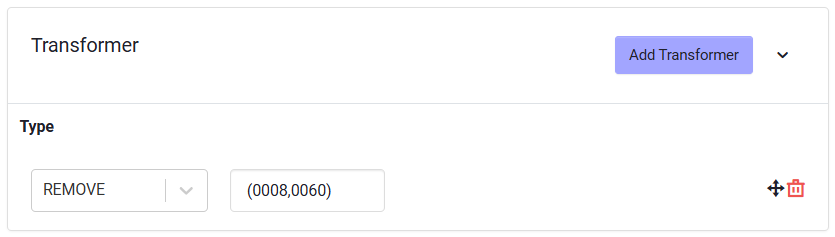
Use this transformation when a tag is no longer required or should not be included in the processed output.
Constant
The Constant transformation sets a DICOM tag to a predefined value during processing. If the tag already contains a value, it is replaced. If the tag is empty, the specified value is added.
For example, the below transformation will set (0008,0060) Modality to DX:
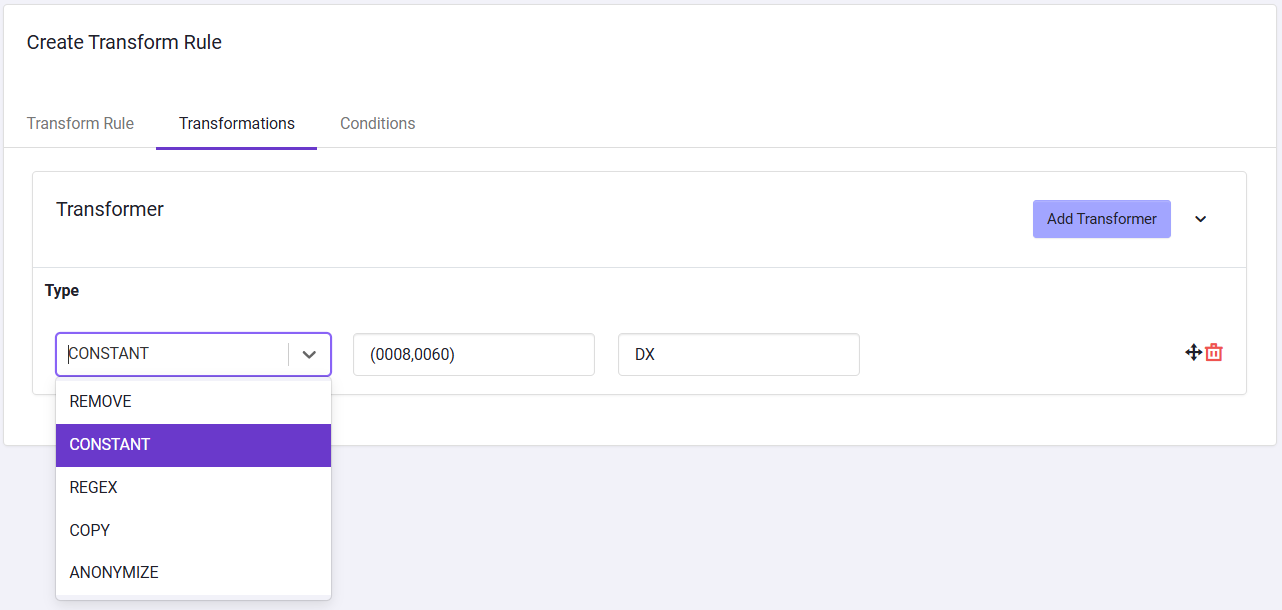
This transformation is commonly used to standardise metadata, correct inconsistent values, or populate tags that are required by downstream systems.
Regex
Use a Regex transformation to modify part or all of an existing DICOM tag value using a regular expression.
For example, if a study has the accession number ABC-12345 and you want to remove the ABC- prefix, you could configure the transformation as follows:
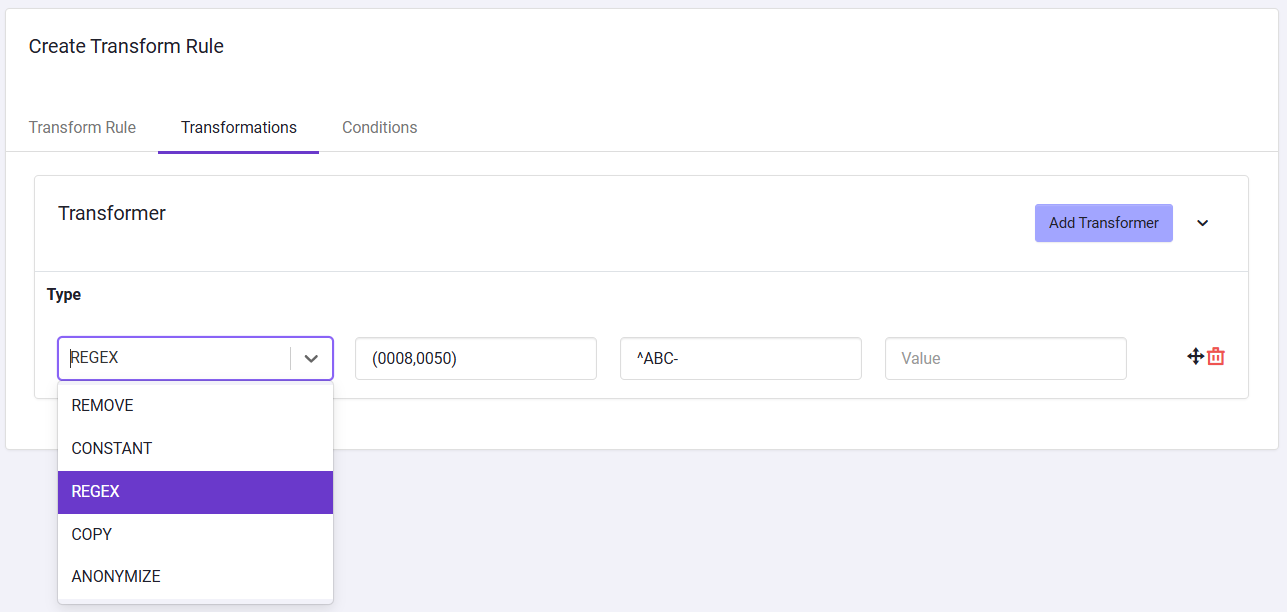
Regex transformations are useful when a value needs to be reformatted rather than completely replaced. For example, you can remove unwanted characters, replace a prefix, or extract and reuse part of an existing value.
Copy
Use a Copy transformation to copy the value of one DICOM tag to another DICOM tag.
For example, if the Study Description (0008,1030) contains CT Chest and you want to copy this value to the Series Description (0008,103E), you could configure the transformation to copy the value between these tags as follows:
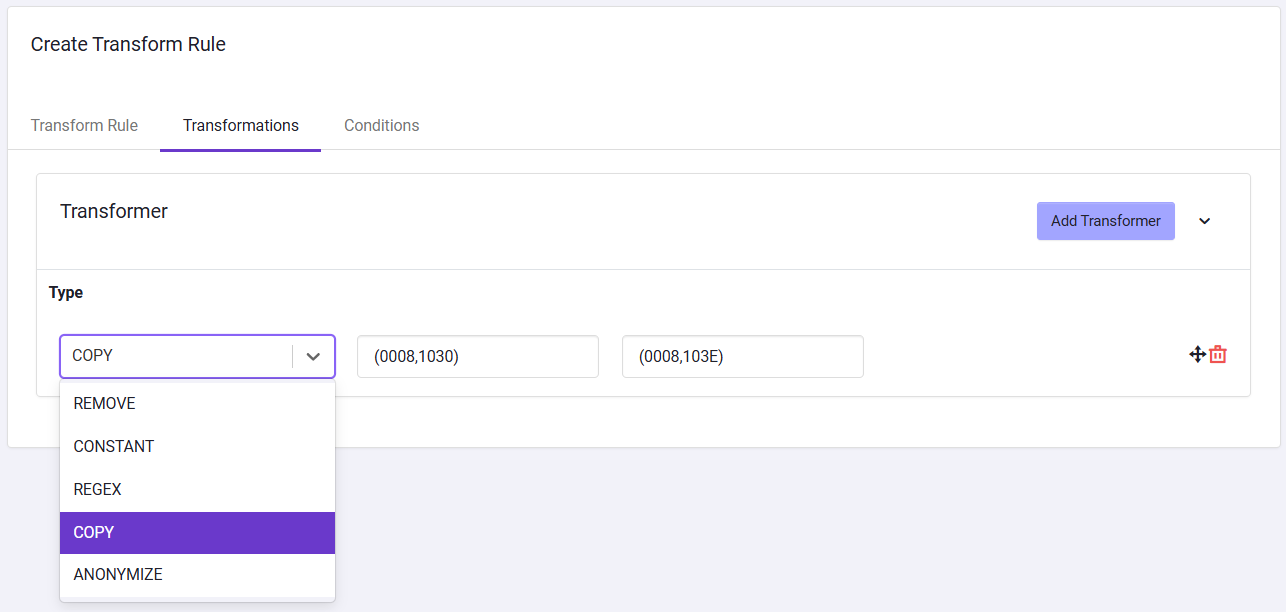
This is useful when a value already exists in the DICOM metadata but needs to be populated into an additional tag. The original tag and its value are left unchanged, while the same value is written to the specified destination tag.
Anonymize
The Anonymize transformation applies a predefined set of changes to remove identifying information from DICOM metadata. Because anonymization can affect multiple tags and identifiers, the transformed output should be reviewed carefully before it is used outside its intended workflow.
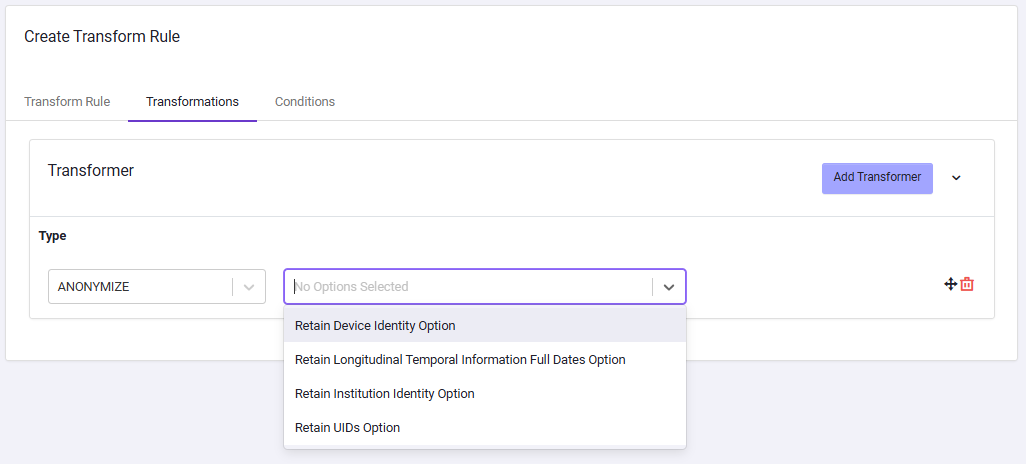
AdvaPACS uses the DICOM Supplement 142: Clinical Trial De-identification Profile in anonymizing specific DICOM Tags.
The following anonymization options are available:
| Option | Description |
|---|---|
| Retain Device Identity Option | Preserves device-related information, such as manufacturer and equipment details, while anonymizing other identifying metadata. |
| Retain Longitudinal Temporal Information Full Dates Option | Preserves the original dates in the DICOM metadata, allowing longitudinal analysis while anonymizing other identifying information. |
| Retain Institution Identity Option | Preserves institution-related metadata, such as the organisation or facility where the study was performed. |
| Retain UIDs Option | Preserves existing DICOM Unique Identifiers (UIDs) instead of generating anonymized replacement UIDs. |
Script
The Script transformation runs a custom JavaScript function based on the Rhino JavaScript Engine against the DICOM instance during processing. It can be used when the required transformation cannot be achieved using the standard Remove, Constant, Copy, or Regular Expression transformations.
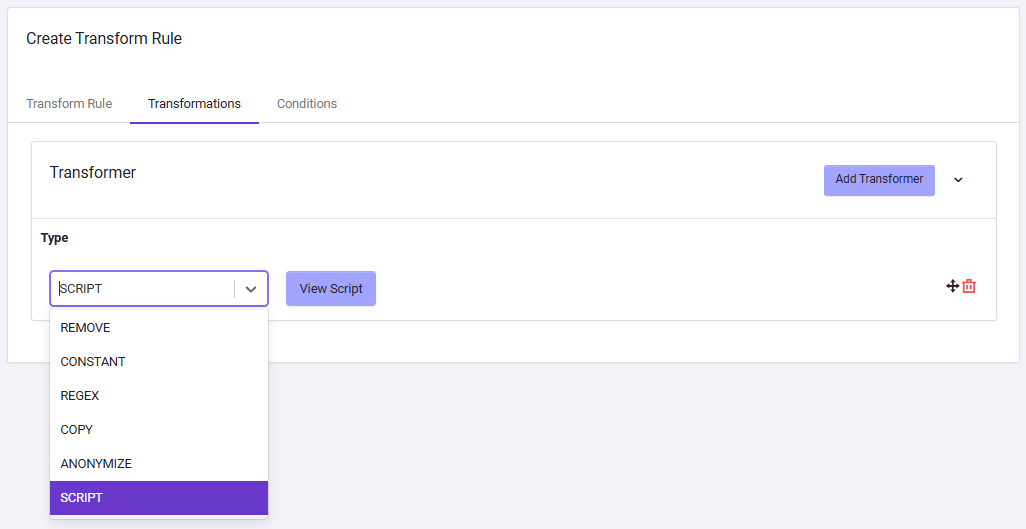
Scripts can read, modify, add, or remove DICOM tag values, making them suitable for more advanced transformation logic. For example, a script may apply different values based on existing metadata, combine values from multiple tags, or perform conditional processing.
This is only available when the Target specified in the rule is AdvaPACS Gateway.