Merge Patient Records
Introduction
The Merge Patient function in AdvaPACS allows users to combine duplicate or redundant patient records into a single consolidated record.
This feature ensures data integrity by transferring all associated information—such as studies, reports, and history—from a Source Patient to a Destination Patient.
Merge button
You can initiate a patient merge from two locations:
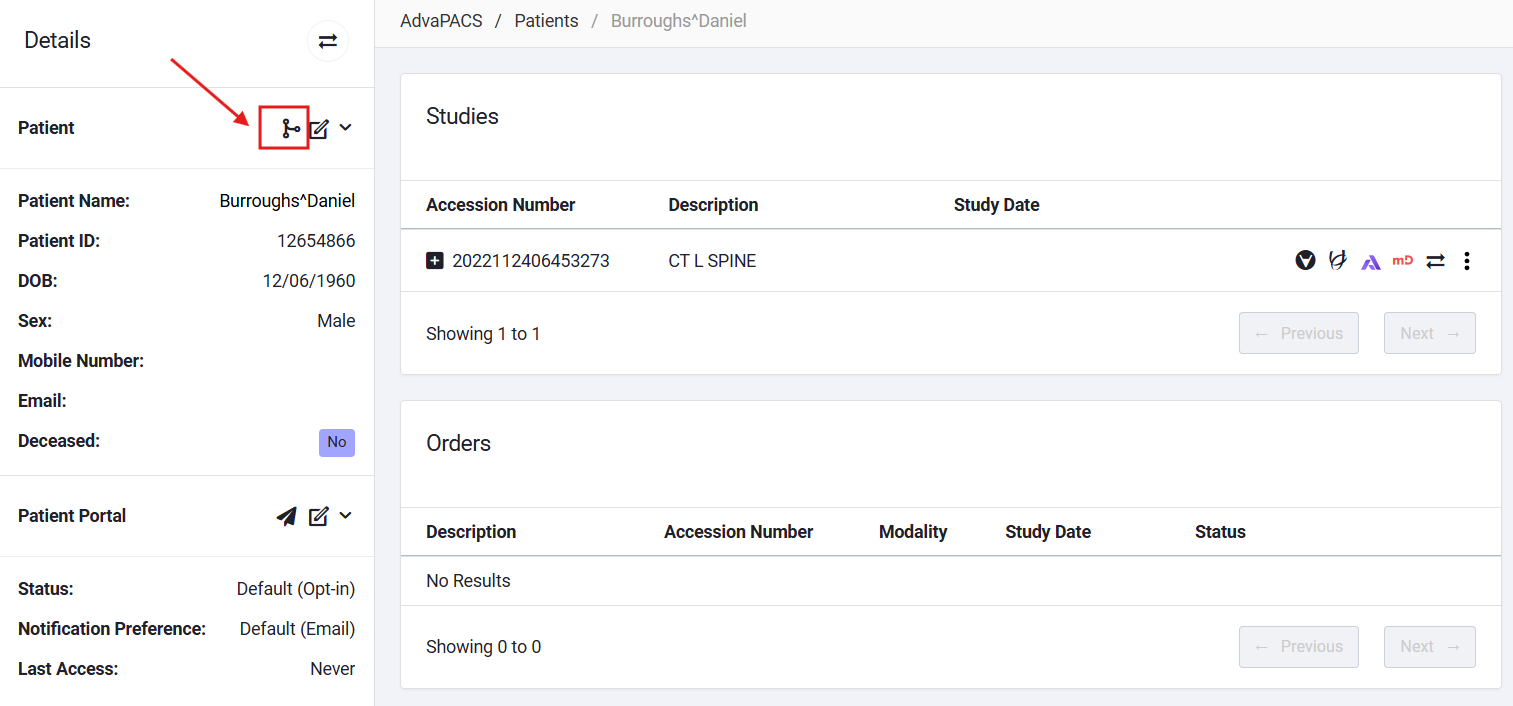
Patient Detail
Click the Merge Patient icon.
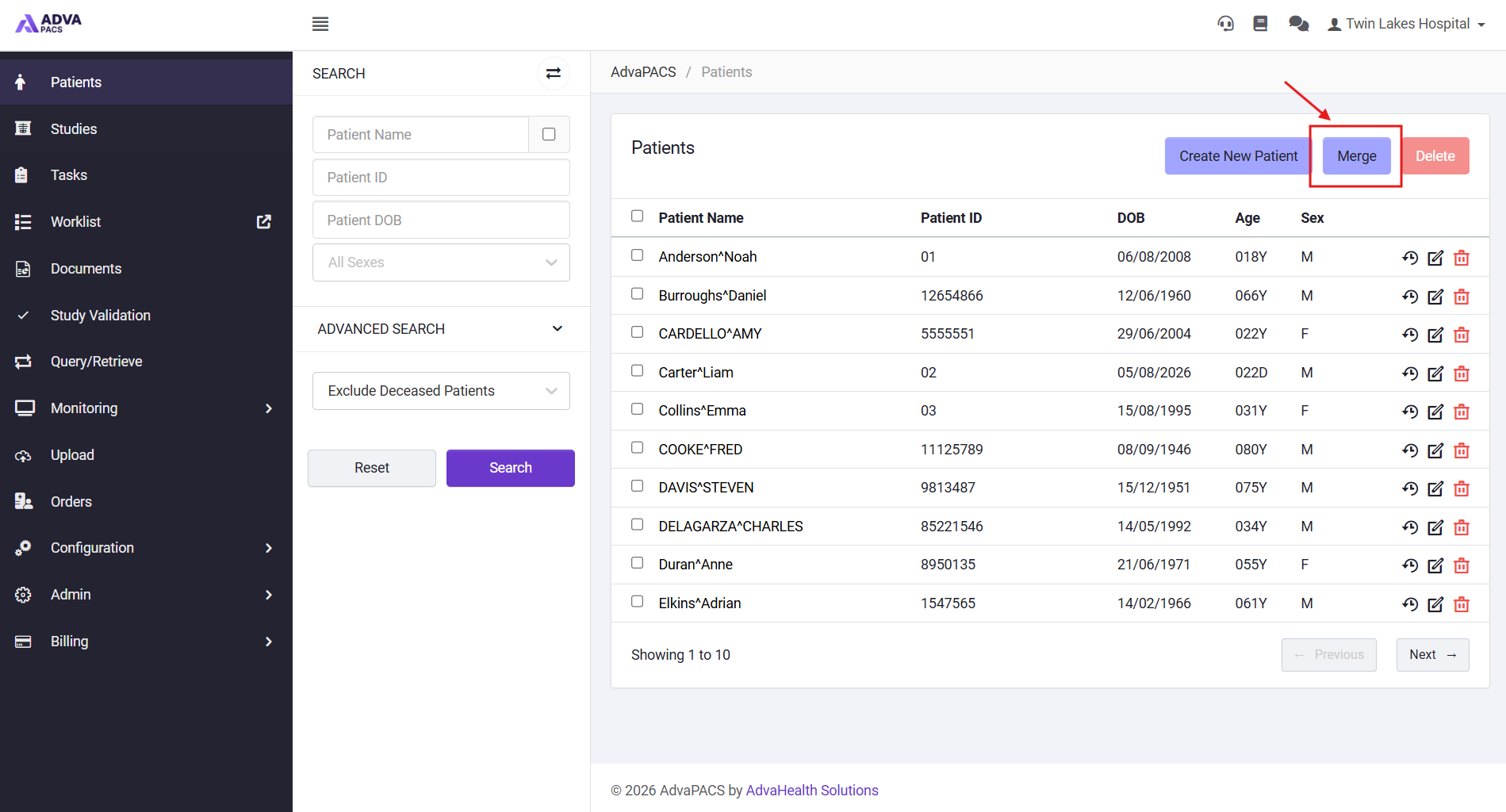
Patient Listing
Click the Merge button on the toolbar.
Merge Patients Modal
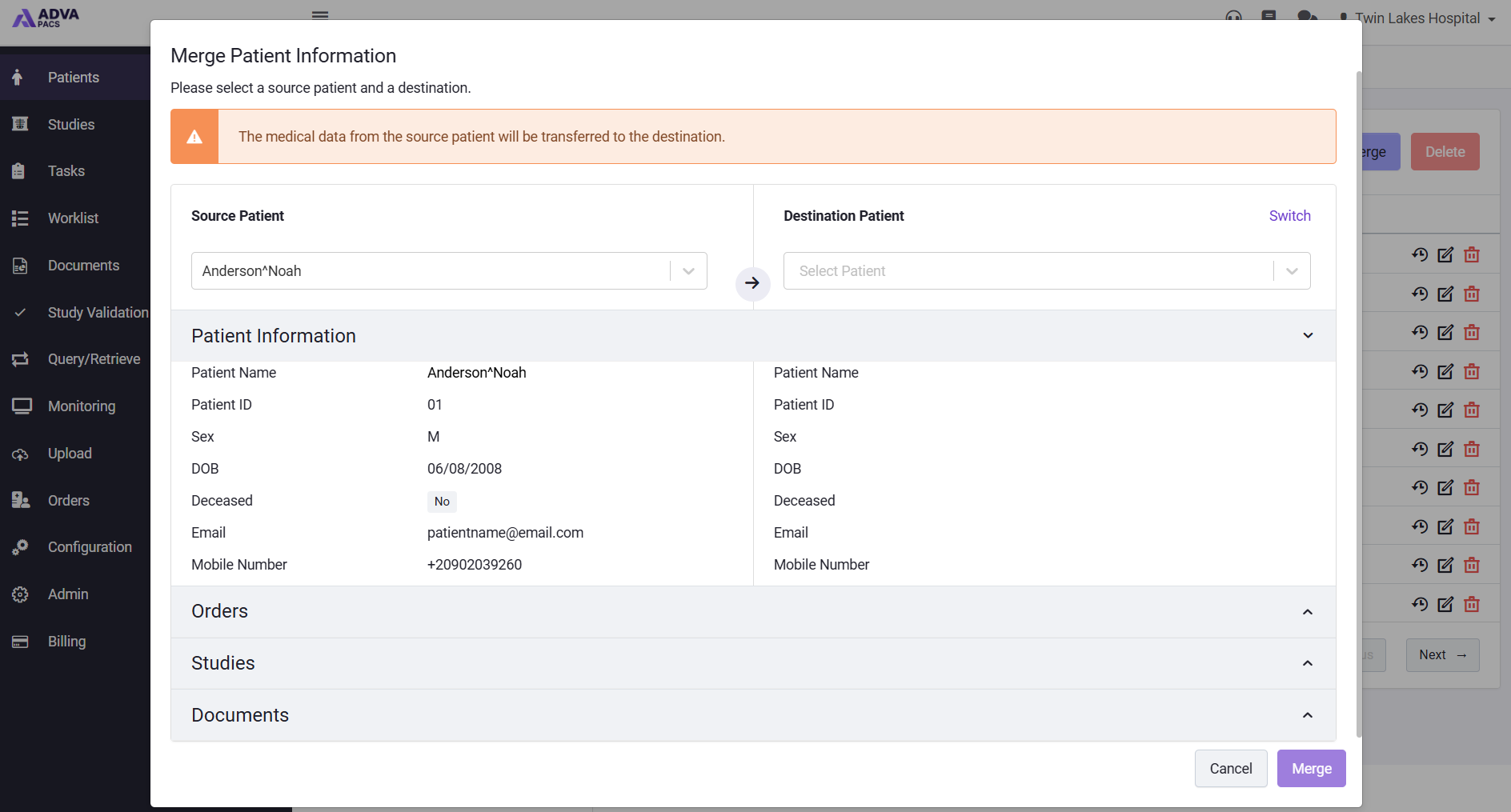
When you select Merge Patient, the system displays the Merge Patients modal, containing three main sections:
- Source Patient Selection
- Destination Patient Selection
- Selection of Patient Details to Merge
1. Source Patient Selection
From Patient Detail
- When you click the Merge Patient icon from the Patient Detail screen:
- The system automatically populates the Source Patient field with the currently viewed patient.
- The field is disabled to prevent editing.
- If the user switches the Source and Destination patients, the opposite field becomes disabled to prevent circular selection.
From Patient Listing
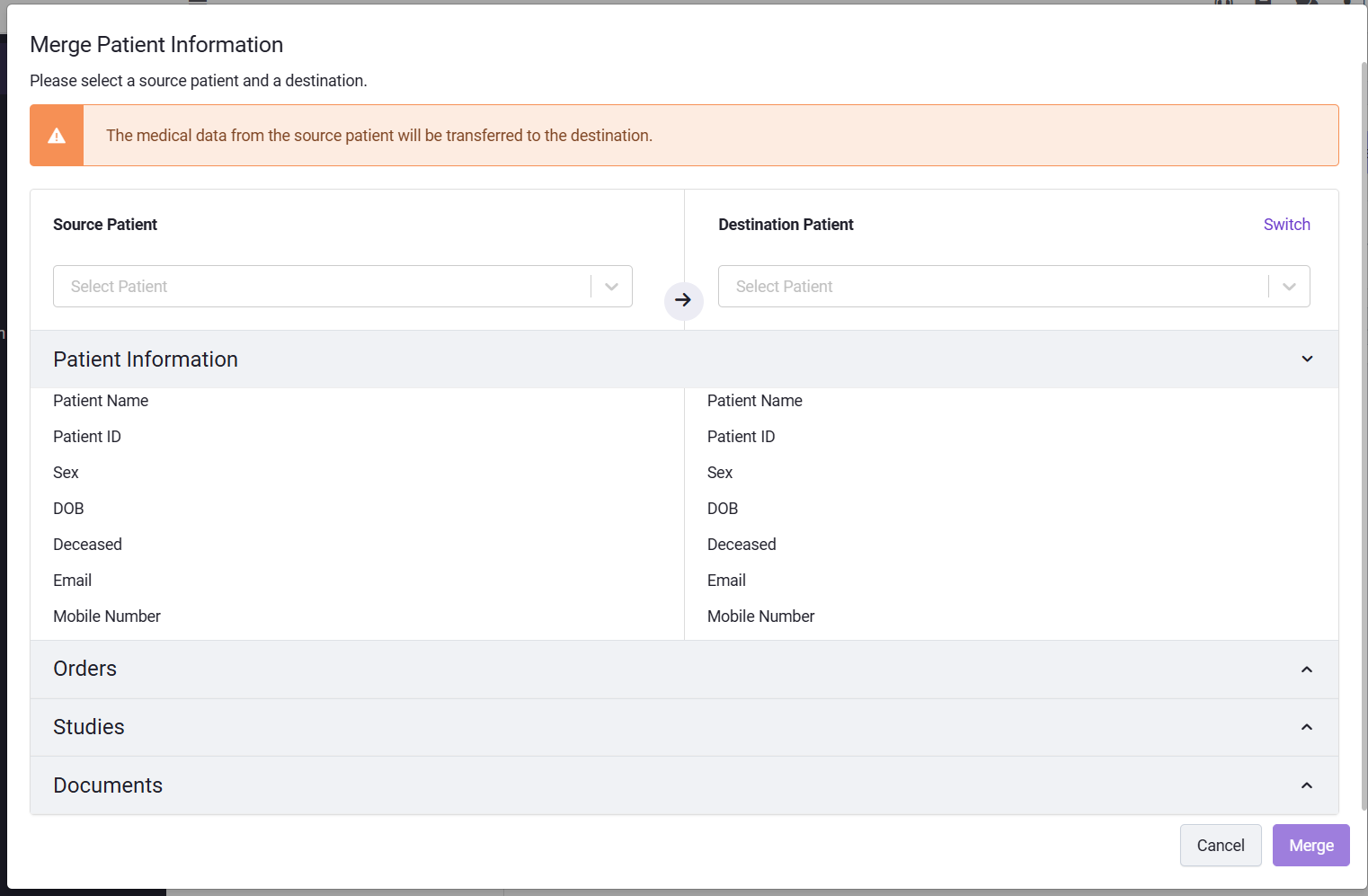
- When you click the Merge button from the Patient Listing screen:
- A search and select box is provided for choosing the Source Patient.
- You can search by:
- Patient ID
- Patient Name
- Select the appropriate patient from the search results.
2. Destination Patient Selection
- A search and select box allows you to select another patient as the Destination Patient.
- The system prevents you from selecting the same patient as both Source and Destination.
- Once a Source Patient is chosen:
- That patient will be excluded from the Destination search results.
- Similarly, once a Destination Patient is chosen:
- That patient will be excluded from the Source search results.
3. Selection of Patient Details to Merge
Before proceeding, you can view associated medical data of the patient like Studies, Orders, and Documents and switch between the Source and Destination patient records if necessary.
Merge Action
When you select Merge and confirm the action, the system will combine all records and associated data into the destination patient. The source patient record will then be permanently removed from the system.
- Merging patients is irreversible. Always double-check Source and Destination before confirming.
- Users must have the necessary permission to perform a Patient Merge.