AdvaPACS Gateway
AdvaPACS Gateway HL7 Services let you securely receive, route, and process HL7 messages between external systems and your AdvaPACS environment. These services are commonly used to connect RIS, EMR, HIS, and other healthcare applications that rely on HL7 messaging workflows.
This guide walks through the process of creating a new Gateway HL7 Service, including configuring connection settings, defining message handling behaviour, and enabling communication with external systems.
Gateway Service Types
AdvaPACS Gateway HL7 services can receive HL7 messages using either a TCP-based or file-based service. The service type determines how HL7 messages are received by the Gateway before being processed and sent to AdvaPACS.
- TCP Service – Receives HL7 messages over a network connection. The Gateway listens on a configured port for messages sent by an external system.
- File Service – Receives HL7 messages from files placed in a configured directory. The Gateway monitors the directory and processes files as they are added.
Choose the service type based on how the sending system delivers HL7 messages and the requirements of your integration.
Creating a New Gateway HL7 Service
Follow these steps to create a Gateway HL7 Service in AdvaPACS.
- Navigate to Configuration → HL7/FHIR in AdvaPACS.
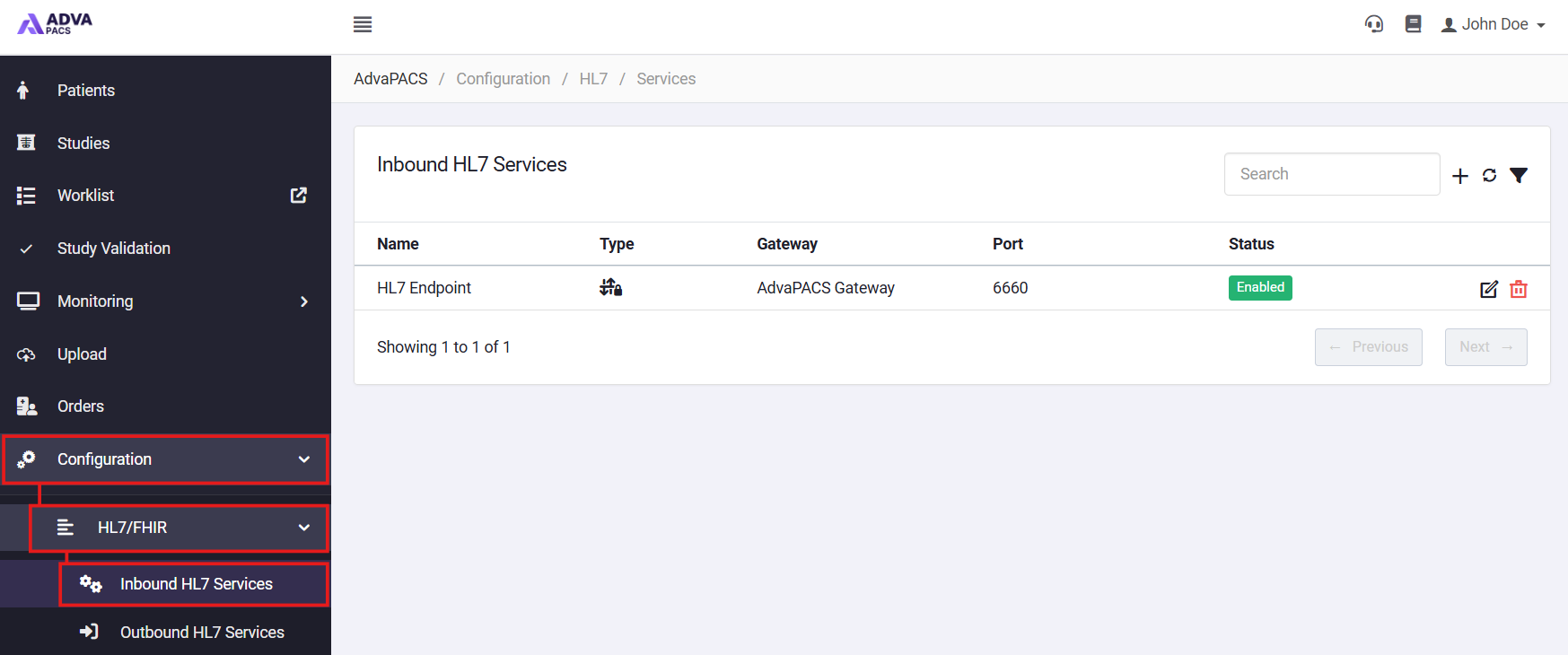
- Select either Inbound HL7 Services or Outbound HL7 Services depending on whether you are sending or receiving HL7 messages.
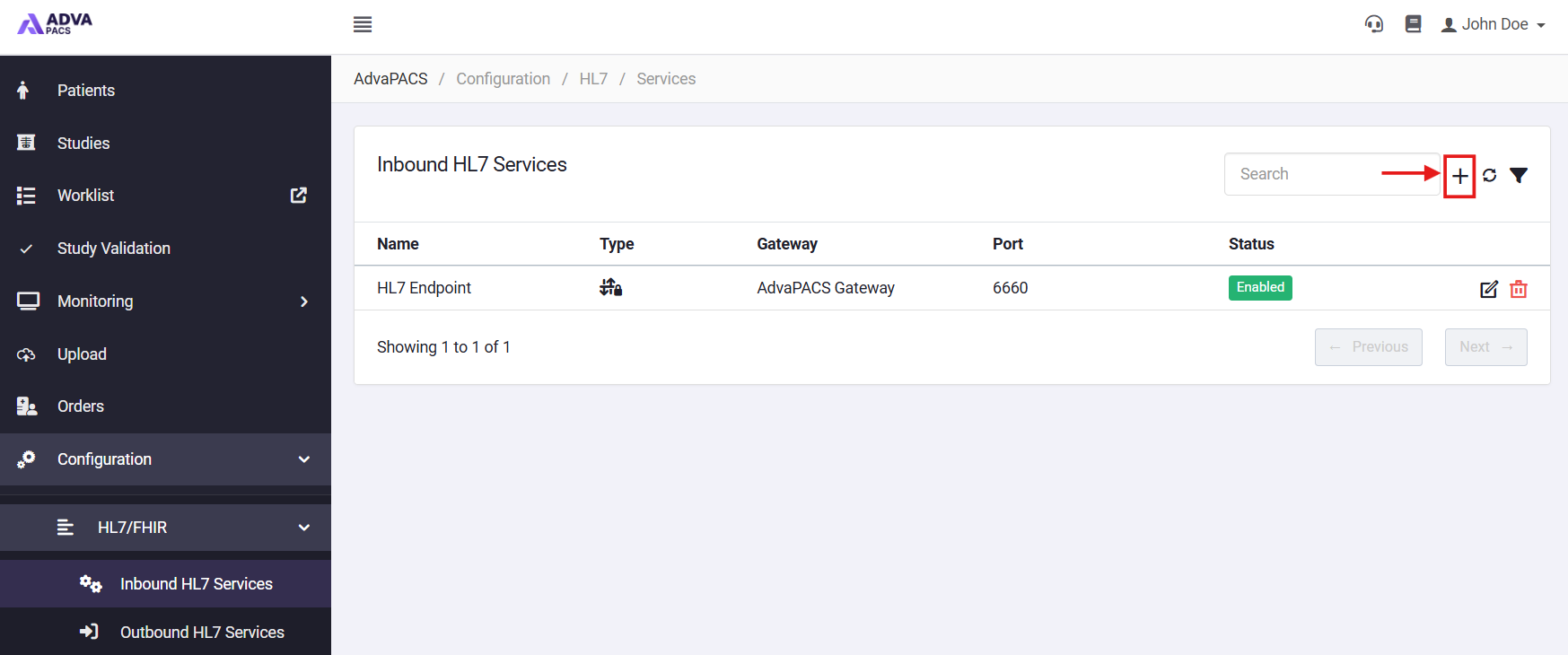
- Click the + icon.
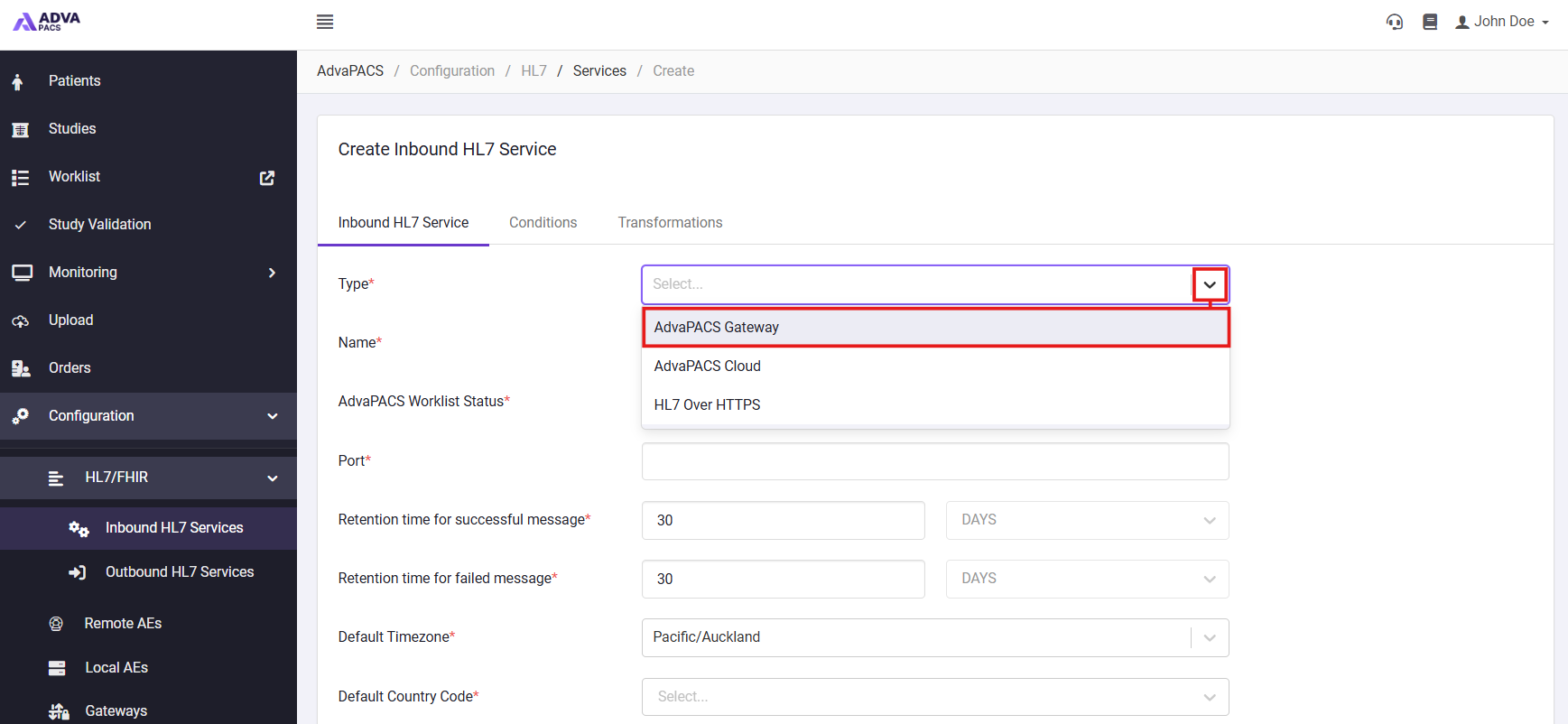
- Select AdvaPACS Gateway from the Type dropdown.
-
Fill in the appropriate details on the Inbound HL7 Service tab, noting the following:
- AdvaPACS Worklist Status - Mark the status that it will appear as on the Reporting Worklist.
- Gateway - The AdvaPACS gateway which will receive the HL7 messages.
- Server Mode - Either TCP or File.
- Port (TCP mode only) - The port that the HL7 interface will listen on.
- Path (File mode only) - The file path that the HL7 interface will read from.
-
If applicable, add any Conditions or transformations.
-
Click Create to create the service.
Connecting to the Service
The AdvaPACS Gateway can receive HL7 messages either over a TCP connection or from a file directory. The configuration required on the sending system depends on the service type selected when creating the service.
TCP
Configure the sending system with:
- Host/IP Address – The hostname or IP address of the Gateway.
- Port – The port assigned to the HL7 service.
The sending system must be able to establish a network connection to the Gateway on this port. Check any firewall or network rules if the connection cannot be established.
File
Configure the sending system to save HL7 messages to the input directory configured for the service.
The Gateway monitors this directory for new files and processes them automatically. The directory must be accessible from the Gateway, with sufficient permissions to read and process the files.