FHIR Connectivity
The AdvaPACS FHIR API allows external systems to access and manage supported clinical and imaging data using the FHIR standard. Before making requests to the API, you will need:
- Your AdvaPACS API URL
- An API key with the required FHIR permissions
- The appropriate FHIR version endpoint
This guide explains how to obtain these details and authenticate requests to the AdvaPACS FHIR API.
Access the API Keys Page
API keys are managed from the API Keys page in AdvaPACS. To access the page:
- Open Admin → Settings.
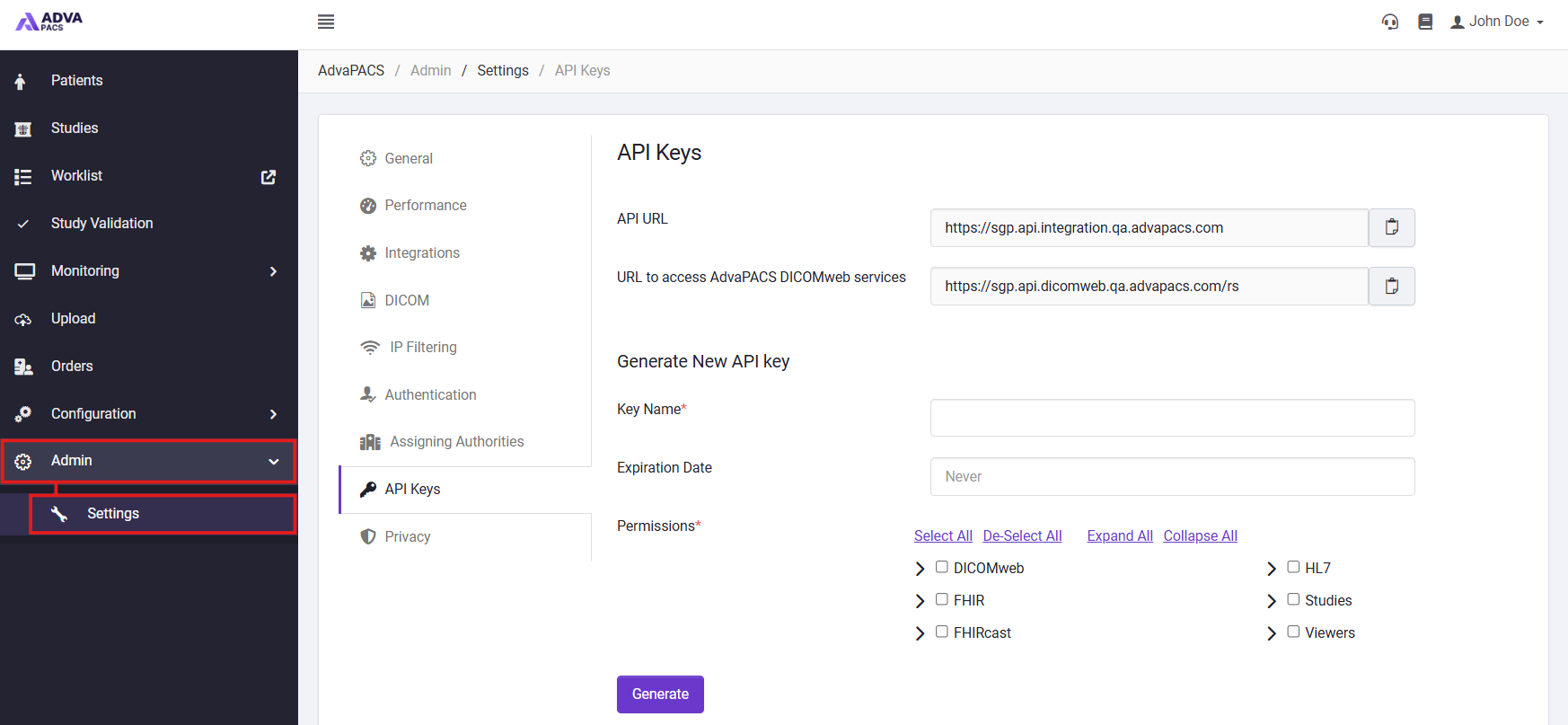
- Select API Keys.
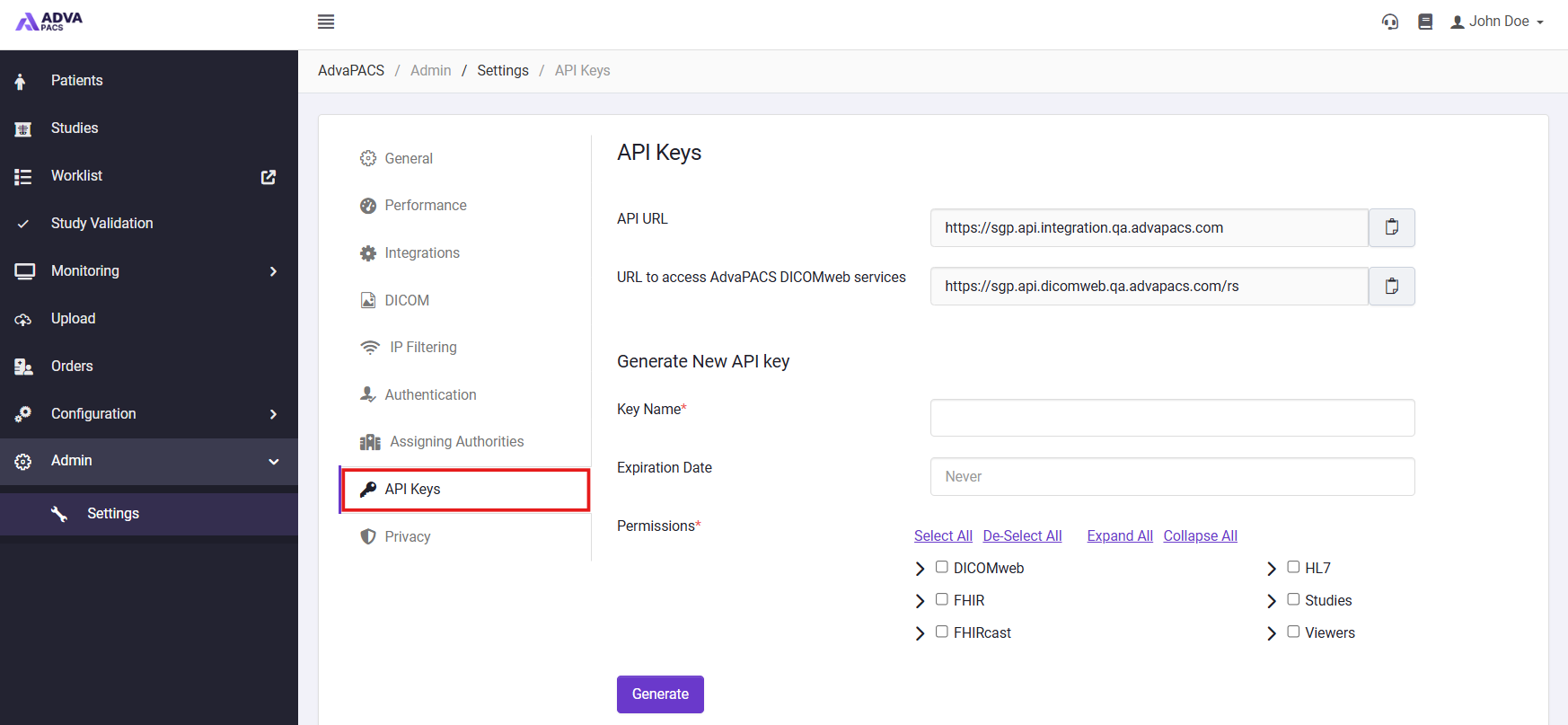
From here, you can create and manage the API keys used to authenticate with the AdvaPACS API.
Create an API Key
Before accessing the FHIR API, you must create an API key with the appropriate FHIR permissions.
To create an API key:
- From the API Keys page, enter a descriptive Key Name.
- Optionally, specify an Expiration Date.
- Under Permissions, enable FHIR and select the FHIR permissions required by your integration.
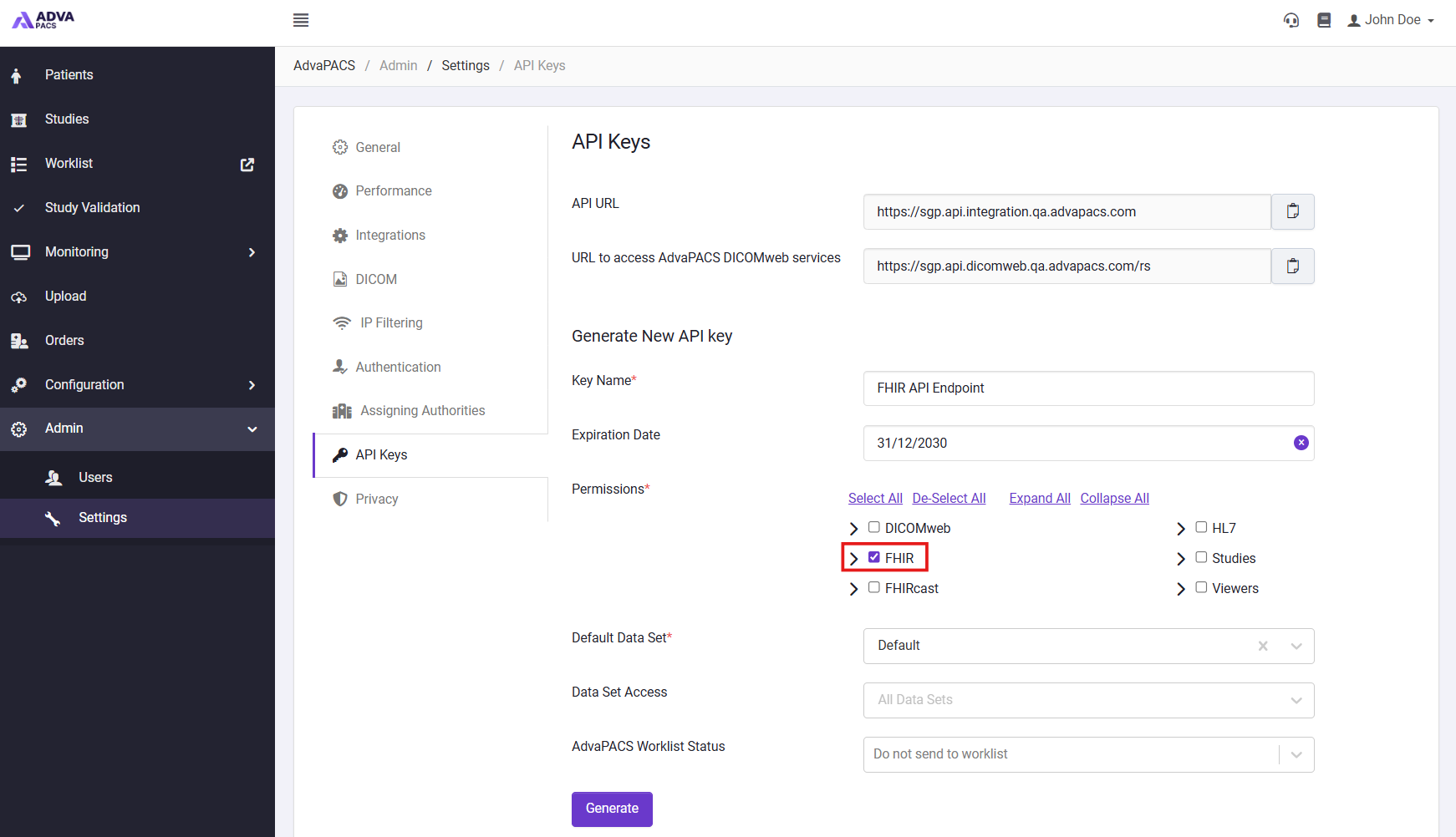
- Click Generate.
- Copy the generated API URL, Access Key ID and Access Key Secret and store them securely.
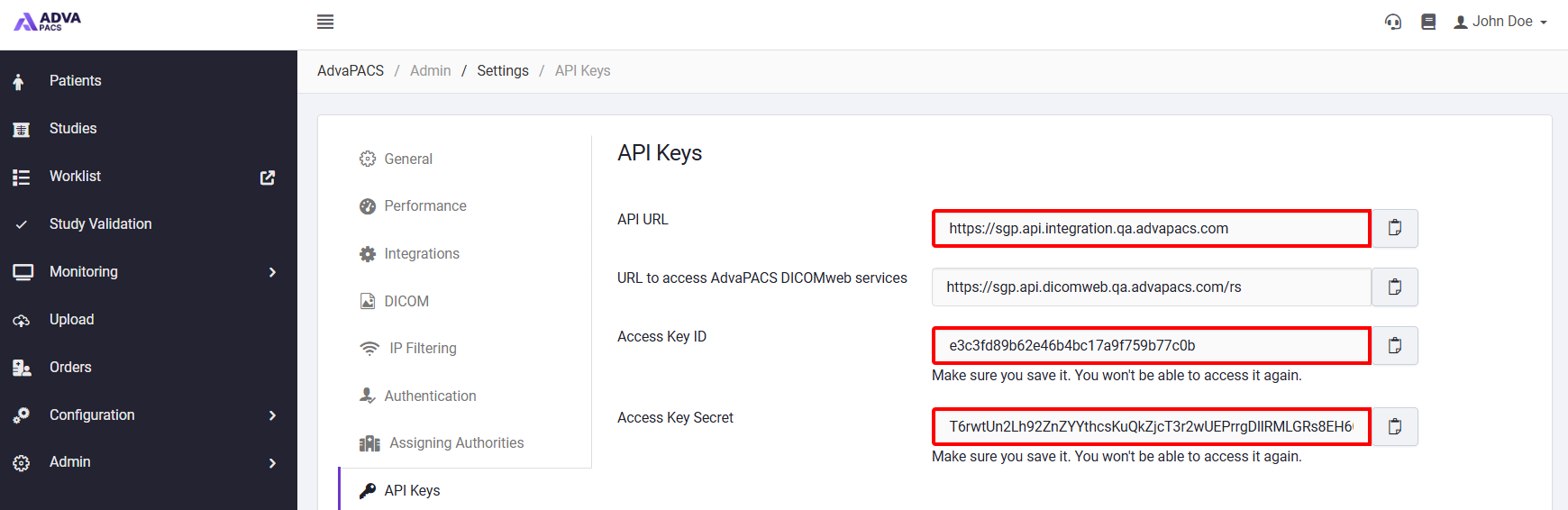
The Access Key ID and Access Key Secret are only displayed when the key is generated. Make sure you copy and securely store them before leaving or refreshing the page.
FHIR API URL
After creating an API key, the API URL displayed on the API Keys page can be used to construct your FHIR endpoint. The path you append to the API URL depends on the FHIR version being used:
| FHIR Version | Path |
|---|---|
| R4 | /fhir |
| R5 | /fhir/R5 |
For example, if your API URL is:
https://hkg.api.integration.advapacs.com
The R4 FHIR endpoint is:
https://hkg.api.integration.advapacs.com/fhir
The R5 FHIR endpoint is:
https://hkg.api.integration.advapacs.com/fhir/R5
Authenticaion
FHIR API requests are authenticated using the Access Key ID and Access Key Secret generated when creating the API key.
Include these credentials in the Authorization header of each request using the following format:
Authorization: ID=<ApiId>,Secret=<ApiSecret>
For example:
GET fhir/R5/Patient
Authorization: ID=991004a2dfb04faead9e30e0eb66e186,Secret=XzzxHuSfPm76PVNSd+v1Sk69yb+YGtDlc
Content-Type: application/fhir+json
Host: hkg.api.integration.advapacs.com
Next Steps
Once you have created an API key and identified your FHIR endpoint, you can begin making requests to the supported AdvaPACS FHIR resources. Refer to the FHIR API documentation for details about the available resources, supported operations, search parameters, and request and response formats.
For information regarding managing and removing API keys, refer to our API Keys documentation.